InkSTR + Hospitable
Click Connect, approve access in a Hospitable window, and inkSTR is linked, no tokens to copy. From there it reads your property details, photo galleries, and guest reviews on a schedule.
3 free articles · Grounded in your real data · Cancel anytime


What is Hospitable?
Property management and messaging platform for short-term rental hosts
Hospitable is a property management and guest messaging platform used by short-term rental hosts and co-hosts to run reservations, guest communication, and their own direct booking sites. InkSTR connects through Hospitable Connect, an OAuth-style one-click authorization, not a pasted API key.
The integration
What connecting them gets you
How inkSTR works with Hospitable.
One-click connection with Hospitable Connect
Approve access in a Hospitable window, no tokens to copy, and inkSTR links your account instantly. Hospitable Connect also powers inkSTR's 30-second project setup with automatic property import.
Listing details and Knowledge Hub content sync in
Descriptions, amenities, and your existing Hospitable Knowledge Hub content pull straight into inkSTR on the same connection.
Photo galleries sync into the image library
Your full property photo galleries sync into the inkSTR image library, where AI writes descriptive alt text before placing photos in articles.
Guest reviews shape your content strategy
InkSTR analyzes your Hospitable reviews to surface the questions, themes, and selling points real guests care about, which feed your content strategy and article FAQs.
How to connect Hospitable
Where this lives in your inkSTR dashboard.
- 1
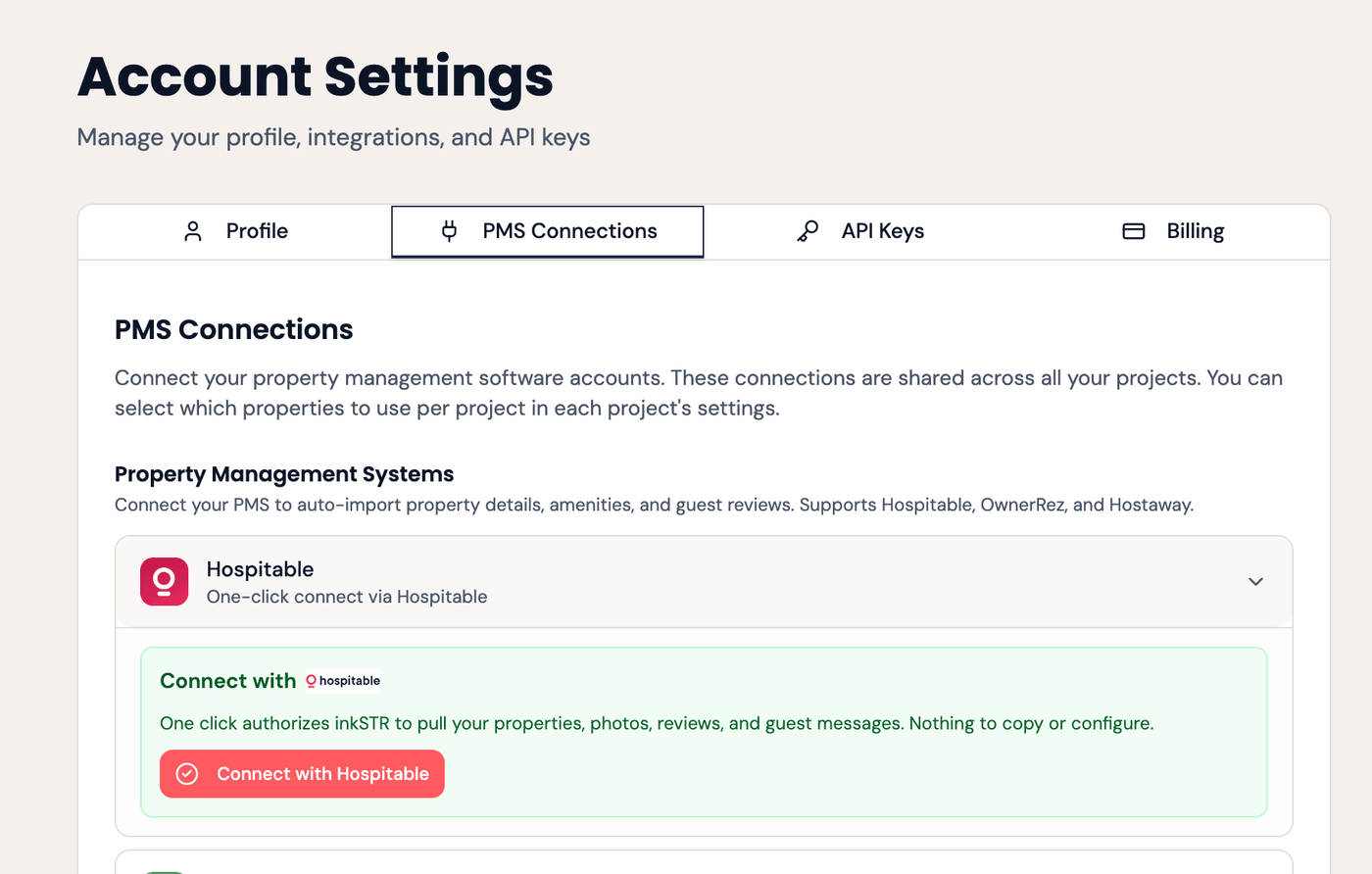
Open PMS Connections
In inkSTR, go to Account Settings → PMS Connections and expand Hospitable. PMS integrations, including Hospitable, are a Scale-plan feature.
- 2
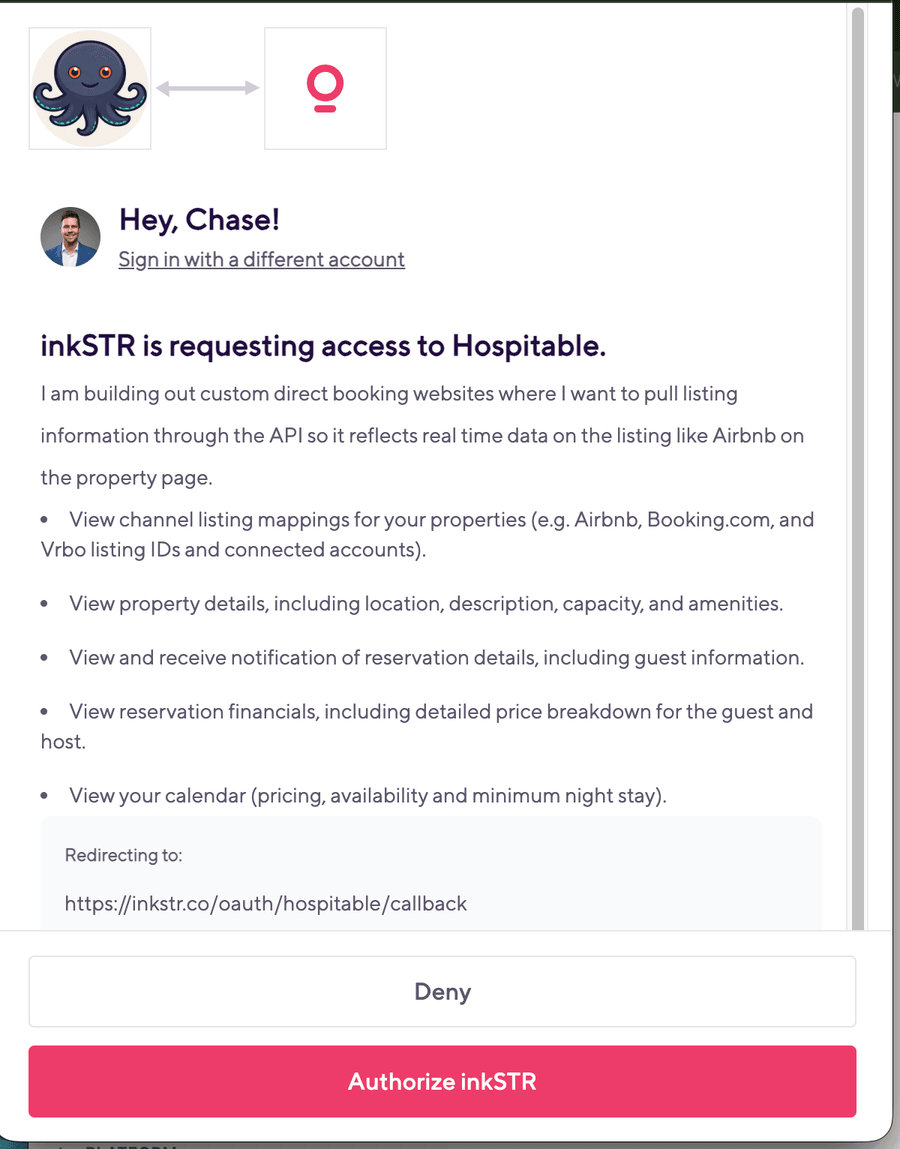
Click Connect with Hospitable
Approve access in the Hospitable window that opens — one click, no tokens to copy or paste. This is Hospitable Connect, the same one-click authorization that powers inkSTR’s 30-second automated project setup.
- 3
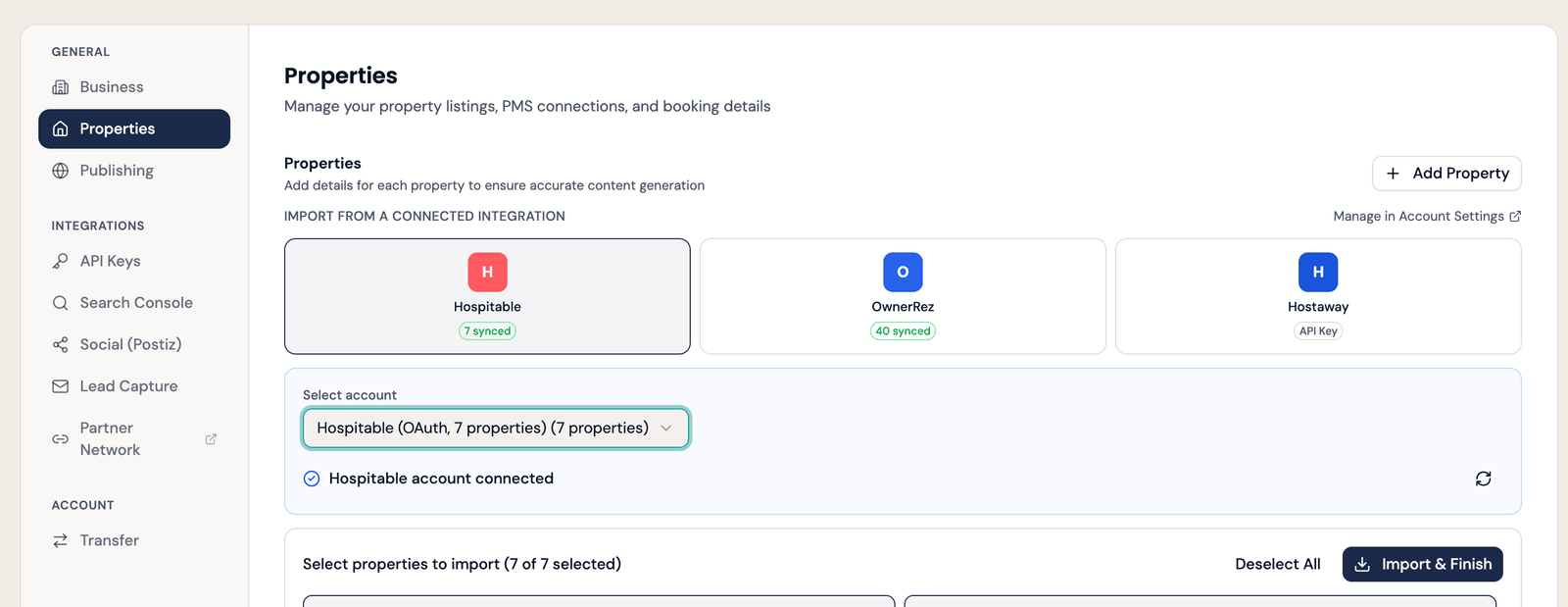
Import your properties and photos
From your project’s Settings → Properties, click Import & Finish to pull in listing details, amenities, and your full photo gallery in one click.
- 4
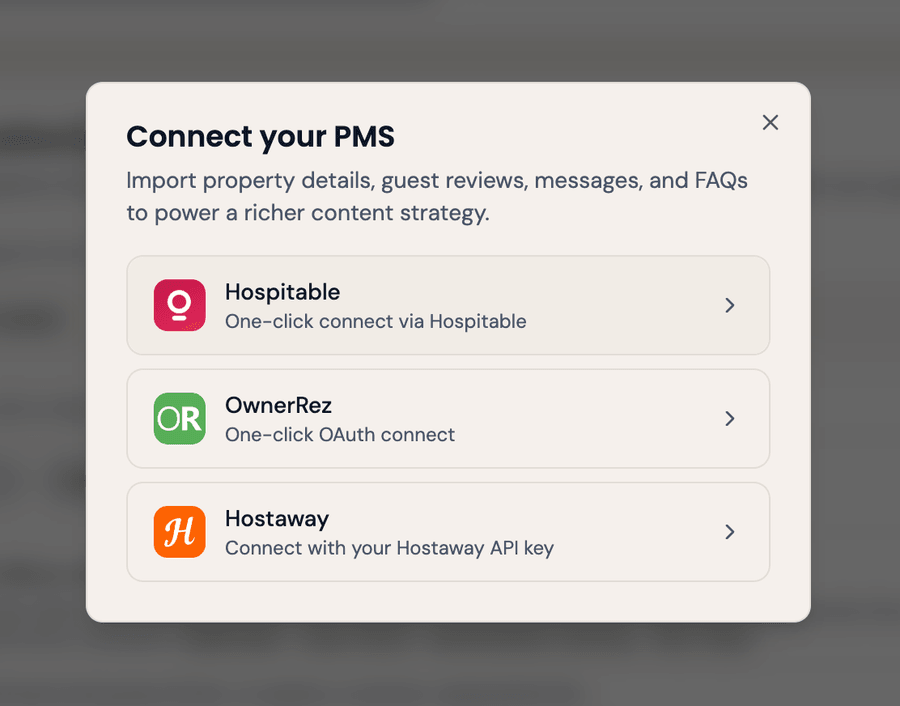
Pull guest insights into your strategy
In the Strategy Wizard, click Pull from PMS to bring real guest review themes, guest-message questions, and seasonal booking patterns into your keyword research and writing instructions.
Prefer a scoped token instead of one-click authorization? In Hospitable, go to Settings → Integrations → Personal Access Tokens, create a token with the properties:read, reservations:read, and reviews:read scopes enabled, then paste it into inkSTR instead.
Questions about the integration
Go to Account Settings → PMS Connections in inkSTR and expand Hospitable. Click the Hospitable Connect button and approve access in the Hospitable window that opens, no tokens to copy. That's it, inkSTR can now pull your property details, photos, and guest reviews into your content strategy.
PMS integrations, including Hospitable, are included on the Scale plan.
No. InkSTR only reads your property data, photos, and reviews. It never writes back to Hospitable or changes anything in your account.
No. InkSTR is a content engine, keyword research, SEO writing, publishing, and tracking, that runs alongside whatever site you already have. It never touches the site itself.
Other integrations
A few more tools inkSTR connects with.
InkSTR + Wix
InkSTR publishes finished articles straight to your Wix blog: titles, categories, featured images, and internal links to your own pages, all handled automatically.
ExploreInkSTR + WordPress
InkSTR publishes finished articles straight to your WordPress site through its REST API, with SEO schema handled through Yoast or RankMath automatically.
Explore
InkSTR + CraftedStays
Paste one API key from your CraftedStays dashboard and inkSTR is connected: it publishes in the Markdown format CraftedStays expects and keeps your property catalog synced for every article.
Explore
Connect Hospitable and see your first strategy.
Point inkSTR at your site, connect your tools, and see the content strategy it builds. Your first 3 articles are free.
3 free articles · Grounded in your real data · Cancel anytime