Automated Internal Linking, Explained (2026 Guide)
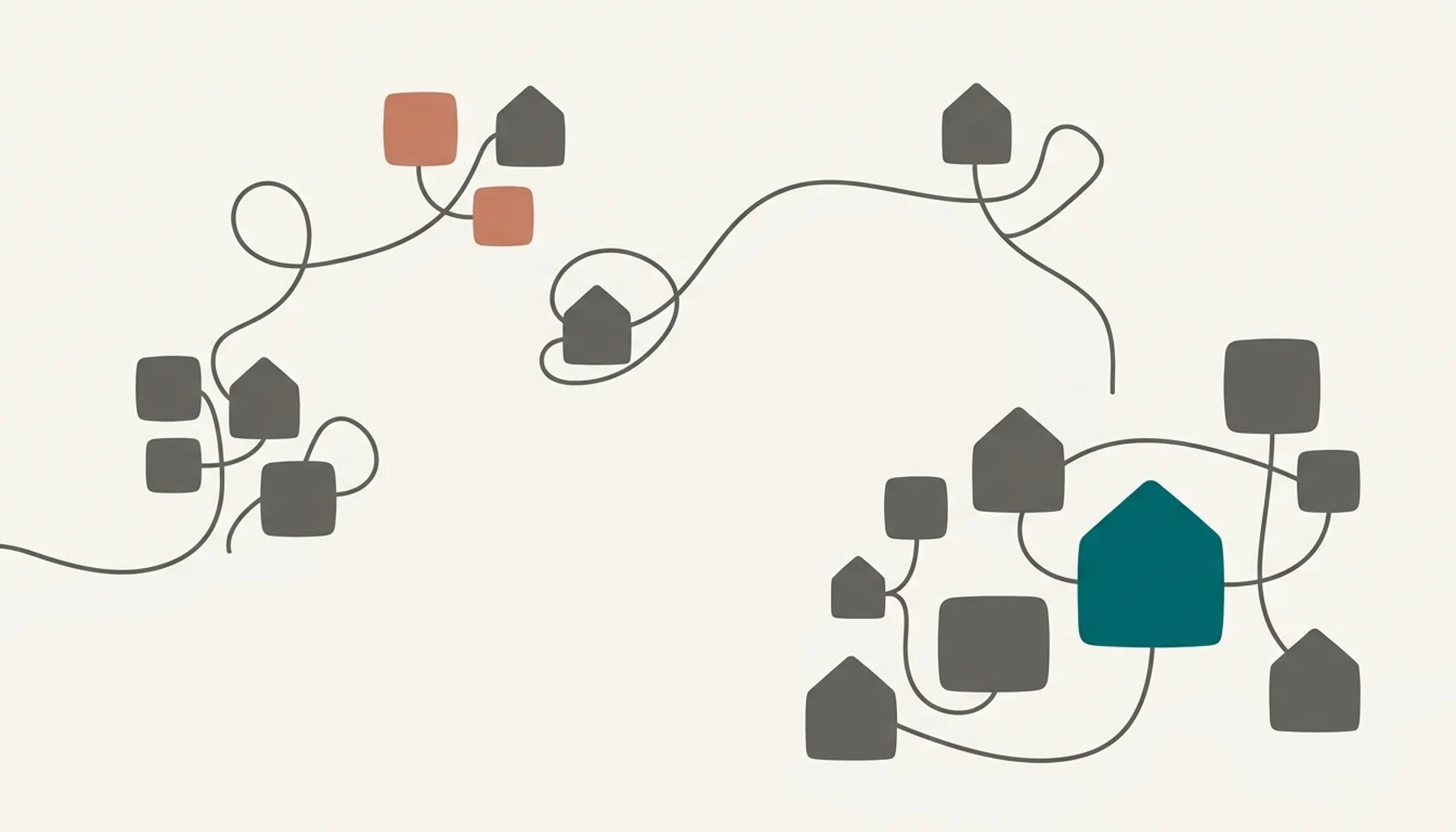
Automated internal linking is the process of using software, rather than manual editing, to identify related pages on a website and insert contextual hyperlinks between them. For a short-term rental site, that means your blog post about hot tub cabins automatically links to your booking page, your neighborhood guide, and related posts, without you touching a single line of code.
Key Takeaways
- Automated internal linking uses keyword matching or AI semantic analysis to connect related pages across a website without manual editing.
- A Zyppy study of 23 million internal links across 1,800 websites found pages with 40 to 44 internal links received roughly four times the Google clicks of pages with 0 to 4 internal links.
- An InLinks case study found 82% of internal-link opportunities on analyzed sites had been missed entirely before automation was applied.
- The median desktop web page carries 41 internal links, while top 1,000 sites average 129, according to Web Almanac 2026 data reported by SEOJuice.
- Manually cross-linking a growing blog takes hours per publishing cycle, on top of the 3 to 5 hours it already takes to write one quality post.
- inkSTR builds internal link structure directly into every article it generates and publishes, so link equity flows to booking pages automatically as your content library grows.
Every short-term rental site we've reviewed at inkSTR has the same blind spot: a handful of blog posts that rank reasonably well, sitting completely disconnected from the booking page that actually makes money. Internal linking is the fix, but doing it by hand does not scale past a dozen articles.
This guide walks through what automated internal linking actually does, how it differs from manually placing links, and what to check before trusting any tool to touch your live site. We wrote it for operators who are publishing content in 2026 and want that content to compound into direct bookings instead of sitting in isolation.
You'll also see where automation fails, because it does fail in specific, predictable ways if nobody sets it up with intent. Understanding those failure modes matters more than the sales pitch for any given tool.
What Is a SEO Link, and Why Does It Matter for Vacation Rental Sites?
A SEO link is a hyperlink that connects one web page to another, passing both crawl signals and topical relevance between them. Search engines like Google use these links to discover new pages, understand what a page is about, and decide how much authority to assign it. For a vacation rental site, links fall into three categories: internal links between your own pages, inbound links from other domains, and outbound links to external resources.
Internal links are the category you fully control. When your blog post about a lake house's best fishing spots links to your booking page for that property, you're telling Google that page is relevant to "fishing spots near [lake]" searches. Notably, Google's own guidance states that every important page on a site should receive at least one internal link, or it risks never being crawled at all.
This is where a lot of STR sites lose ground. A property manager publishes a strong guide on hiking trails near a mountain cabin, but the post sits as an island. No link points to it from the homepage, no link points from it to the booking calendar. The page technically exists but contributes nothing to rankings or conversions.
We built inkSTR's AI Content Writer to treat internal linking as part of the article, not an afterthought added later. Every generated post gets contextual links to relevant pages on your site at the moment of creation, so nothing you publish sits disconnected from the rest of your content.

How Do You Create an Internal Link the Manual Way?
Creating an internal link manually means opening a page in your CMS editor, finding a relevant word or phrase, highlighting it, and pasting in the destination URL. For one link, this takes under a minute. For a site with 40 posts and a dozen property pages, it means opening every single post to check whether new content should link back to it, and vice versa.
Here's what the manual process actually looks like across a growing content library:
- Publish a new post and read through it to find natural link opportunities.
- Search your existing site for pages relevant to those opportunities, since most CMS search bars are not built for this.
- Open each older post individually to add a link back to the new one, since one-way linking wastes half the SEO value.
- Track which anchor text you already used elsewhere, so you're not repeating the exact same phrase on every link, which looks manipulative to Google.
- Check months later whether any of those links broke, because you renamed a page slug or removed a property listing.
For a property manager running 15 or more listings, this workflow eats an afternoon every time a handful of posts go live. Multiply that across a 90-day content push and you're looking at a part-time job that produces zero new words of content, just link maintenance on words already written.
Most independent hosts skip this step entirely because there's no time left after research and drafting, which is exactly why so many STR blogs have strong individual posts and weak site-wide authority. inkSTR's Content Calendar schedules new articles with linking already mapped against your existing library, so the connective work happens on publish, not as separate maintenance three weeks later.
What Are the Best Internal Linking Tools for SEO?
The best internal linking tools fall into two categories: dedicated internal-linking software that scans your site and suggests or inserts links automatically, and general SEO platforms that include linking features alongside audits, keyword tracking, and technical crawls. Neither category is universally "best." The right choice depends on whether you need link suggestions you approve manually, or a system that inserts links without review.
WordPress-native plugins typically let you define target keywords and phrases, then apply matching rules across published and future content. Some support full automation, where matching links are inserted the moment a post is saved. Others require a manual approval step before any link goes live, which reduces the risk of a keyword matching the wrong context.
Broader SEO suites often use crawl data to identify a page's top traffic-driving keywords, then surface contextual link opportunities based on that data. Some platforms also offer semantic-matching workflows, connected through Google Search Console, that go beyond exact keyword matches to suggest links based on topical similarity.
| Tool Category | How Linking Works | Best Fit | Main Limitation |
|---|---|---|---|
| Dedicated WordPress linking plugins | Keyword-triggered rules applied across posts, with optional full automation | Single-site WordPress operators wanting hands-off linking | Limited outside WordPress; keyword rules can misfire on ambiguous phrases |
| General SEO suites with linking features | Crawl-based keyword and PR-weighted suggestions, some with semantic matching | Operators already using the suite for audits and rank tracking | Linking is a secondary feature, not the core product; setup often needs GSC integration |
| JavaScript snippet-based insertion | Two-line install script that inserts links dynamically on page load | Non-WordPress or custom-built sites | Links may not be visible to some crawlers depending on rendering |
| STR-specific content platforms with built-in linking | Links generated as part of the article creation workflow itself | Operators who want linking handled without a separate tool or plugin | Only covers content generated through that platform |
Notice that "best" depends entirely on whether you're patching linking onto an existing content pile, or building it in from day one. inkSTR falls into that fourth category deliberately: our Keyword Research engine identifies the pages worth linking to before an article is even drafted, so the linking decision is made with topical intent, not retrofitted after the fact through a plugin scan.
Do Internal Links Improve SEO for Short-Term Rental Sites?
Yes, internal links improve SEO by distributing crawl priority and topical relevance across a site, and the data backs this directly. A Zyppy analysis of 23 million internal links across 1,800 websites found that URLs with 0 to 4 internal links averaged about 2 Google clicks, while URLs receiving 40 to 44 internal links received roughly four times that traffic. That's a correlation, not a guaranteed formula, but the pattern held across roughly 520,000 URLs analyzed.
Internal links matter for three concrete reasons beyond that traffic pattern. First, they help Google discover new pages faster, since crawlers follow links rather than guessing your sitemap structure. Second, they pass topical context: a link from a "best mountain hikes" post to your cabin's booking page tells Google that page is relevant to hiking-adjacent searches, strengthening its position for those terms. Third, they keep visitors on your site longer, moving a reader from a blog post straight into a path toward booking instead of bouncing back to search results.
An InLinks case study comparing existing links against system-generated ones found 94,472 pre-existing internal links on the analyzed sites, versus 433,626 links their system identified as missing opportunities. That gap, described as 82% of link opportunities going unaddressed, matches what we consistently see auditing STR sites at inkSTR before a client comes on board. Content exists. It just isn't talking to itself.
In our own results, this compounding effect is measurable. A Smoky Mountains cabin brand running inkSTR's content pipeline grew from 788 to 5,195 monthly Google Search clicks in 11 months, with impressions climbing from 130,000 to 450,000 over the same period. Consistent internal linking across every new article, tied back to booking pages, was part of what let that traffic convert into $309,775 in attributed direct booking revenue in the first 14 months.
Why Does Automated Internal Linking Fail When Nobody Sets It Up With Intent?
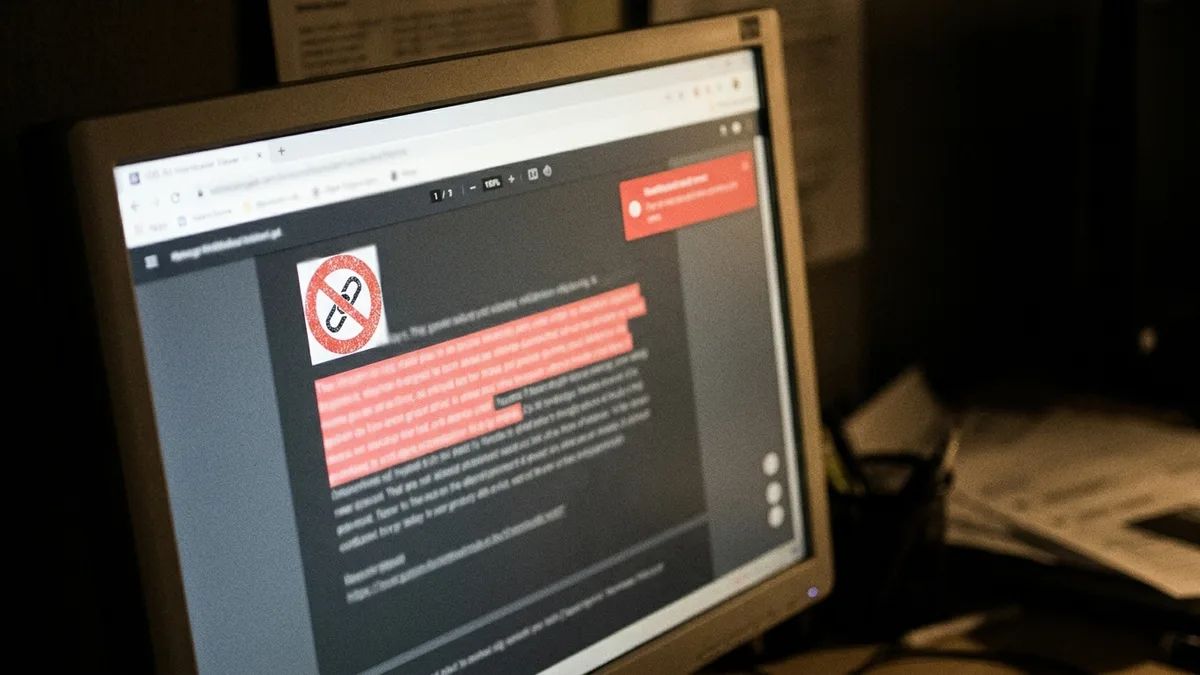
Automated internal linking fails when a tool inserts links based on keyword matches alone, without checking whether the surrounding context makes sense. A generic rule that links every instance of "cabin" to your homepage will eventually link the word "cabin" in a sentence about a competitor's property, or in a guest review you quoted, sending both readers and Google's crawlers somewhere irrelevant.
Here are the specific failure modes we see most often, and none of them get discussed enough in generic SEO guides:
- Ambiguous anchor phrases: A rule linking the word "stay" or "book" fires dozens of times per article, diluting the value of every single link and making the page look spammy to both readers and Google.
- Wrong-URL matches: Automation trained on old site structure keeps linking to a page you deleted or renamed six months ago, quietly building broken links across your entire archive.
- Over-linking: Some tools chase link-count benchmarks without judgment, stuffing 30 links into an 800-word post. That reads as manipulative and can dilute link equity rather than concentrating it.
- Repeated exact-match anchors: A LinkStorm study of 2.5 million contextual links across 1,700 sites found roughly 81% of anchors were keyword-rich phrase matches. Repeating the identical phrase across dozens of links looks unnatural to search engines, even when each individual link is contextually fine.
- Links buried in unsuitable elements: Automation that inserts links into footers, image captions, or navigation menus rather than body content passes less contextual signal and can look manipulative if it happens at scale.
The fix isn't avoiding automation. It's designing the link architecture before automating anything: which pages are priority destinations, what anchor variations are natural for each, and which pages should never receive certain link types. That's the exact planning step most tool reviews skip entirely, and it's the difference between automation that compounds your rankings and automation that quietly damages them.
How Should You Design Internal Link Architecture Before Automating Anything?
Internal link architecture is the deliberate structure of hub pages, cluster content, and priority destinations that determines where link equity flows across a site. Building this structure before turning on any automation prevents the tool from making decisions you would never make manually, like linking a low-priority page 40 times while your booking calendar gets ignored.
Start with your priority pages. For most STR operators, that means the direct booking page for each property, plus one or two cornerstone guides per market. Every other piece of content should be evaluated on whether it can reasonably link toward one of those priority pages, either directly or through a cluster post that itself links to the priority page.
Link depth matters here too. A LinkStorm dataset found fewer than 6% of links reached a hierarchy depth of four clicks or more from the homepage, meaning most valuable content sits close to the surface. If your booking page requires four clicks to reach from your homepage, no amount of automated linking will fully compensate for that structural distance.
Anchor text variation deserves a specific rule, not a vague guideline. Industry data suggests a mix around 60% phrase-match anchors, 30% exact-match anchors, and roughly 10% partial-match or variation phrases works well for natural-looking link profiles. Set that ratio as a target before you let any tool auto-generate anchor text at scale.
This is exactly the planning inkSTR does before publishing a single article for a new customer. Our content workflow maps your priority booking pages and cluster topics first, then generates content designed to link into that structure from day one, rather than bolting links onto pages after the fact. If you're building this out yourself first, our guide on ranking on Google covers the site structure fundamentals that make linking effective in the first place.
Ready to automate your content marketing?
inkSTR handles keyword research, content strategy, article writing, and publishing, all on autopilot.
How Do You Measure Whether Automated Internal Linking Actually Worked?
Measuring internal linking success means tracking specific, attributable changes to crawl behavior and page performance before and after implementation, not just assuming more links equals better rankings. Without a baseline, you have no way to know if a ranking change came from your linking work or from an unrelated algorithm update that happened the same month.
Set these baselines before you automate anything:
- Record current organic clicks and impressions for your priority pages in Google Search Console, so you have a pre-automation snapshot.
- Note how many internal links currently point to each priority page, and from which source pages.
- Run a crawl to confirm no orphan pages exist, meaning pages with zero internal links pointing to them anywhere on the site.
- Check your current anchor text distribution to see if it's already skewed toward one repeated phrase.
After implementing automated linking, wait at least 60 to 90 days before drawing conclusions, since Google needs time to recrawl and reassess pages. Then compare the same metrics: clicks, impressions, and link counts per priority page. A monitoring platform tied to your crawl data can flag ranking or page-depth changes as they happen, rather than waiting for a manual quarterly check.
Attribution caution matters here. If you launched new content and automated linking in the same month, you cannot cleanly separate which change drove a ranking shift. That's part of why we track linking as a built-in feature of every inkSTR article rather than a separate initiative, so the causal question doesn't even arise. As of August 2026, inkSTR has published more than 3,500 articles across active customer projects, each one carrying internal links mapped at creation, which is how we can say with confidence this approach compounds rather than just accumulates.
What Does the Full Workflow Look Like Across WordPress, Wix, and Custom Sites?
The internal linking workflow differs by platform mainly in how links get inserted, not in the underlying strategy. WordPress sites typically use plugin-based rules or manual editor insertion. Wix and other page-builder platforms usually require manual linking through the visual editor, since fewer automated plugins exist for those ecosystems. Custom-built sites often rely on JavaScript snippet insertion or developer-managed link databases.
For WordPress, the setup usually involves defining target phrases and destination URLs, then choosing between a review-before-publish mode or full automatic application. Full automation saves time but requires the anchor rules to be tight enough that ambiguous words don't trigger false matches.
Wix and similar builders lack the plugin ecosystem WordPress has, which means most Wix-hosted STR sites still link manually today. That's a real gap, and it's one reason a multi-market brand we work with chose a platform that handles linking as part of content generation rather than hunting for a compatible Wix plugin. That operator grew from 26 to 1,924 monthly Google search visits in four months across five markets, publishing 114 articles with linking built into each one from the start, all auto-published directly to Wix.
Custom-built sites need the most technical oversight, since JavaScript-inserted links may render differently depending on how search engine crawlers process the page. If you're on a custom build, confirm with your developer that inserted links appear in the initial page source, not only after client-side scripts execute.
inkSTR's Auto-Publishing feature was built specifically to remove this platform-dependency headache, publishing directly to Wix, WordPress, or a custom site with linking already embedded in the HTML that ships to the browser, not dependent on a plugin existing for your particular platform.
What Common Mistakes Should You Avoid With Internal Linking?
The most common internal linking mistakes involve either doing too little, too much, or doing it inconsistently across a growing site. Each mistake has a distinct fix, and most STR operators make more than one at the same time.
- Publishing without linking back: New posts that never link to older, relevant content waste the chance to boost pages that are already close to ranking.
- Linking only forward, never backward: If your new post links to an old post, go back and add a link from the old post to the new one. One-directional linking loses roughly half the value.
- Ignoring orphan pages: Run a crawl audit periodically. SEOJuice reports approximately 66.2% of audited sites had pages with only a single dofollow internal link pointing to them, a common under-linking pattern worth checking for on your own site.
- Over-optimizing anchor text: Repeating the exact same keyword phrase as anchor text across every link looks manipulative. Vary phrasing naturally.
- Treating linking as a one-time project: Link architecture needs revisiting every time you add a new property, retire a listing, or restructure your site's navigation.
Most of these mistakes come from treating internal linking as a separate task bolted onto content instead of a structural decision made when content is planned. That's the mindset shift we push every customer toward, and it's baked into how inkSTR's plans, starting at $99/month, handle content generation from the first article onward.
Frequently Asked Questions
What is automated internal linking in simple terms?
Automated internal linking is software-driven insertion or suggestion of hyperlinks between related pages on the same website, replacing manual link editing. It typically works through keyword matching, AI semantic analysis, or a combination of both, depending on the tool.
Does automated internal linking work the same on WordPress and Wix?
No. WordPress has a larger ecosystem of dedicated linking plugins, while Wix and similar builders generally require manual linking or platform-native content tools that build linking into the publishing step itself, since plugin support is more limited.
How many internal links should a blog post have?
There's no fixed number that fits every page, but data suggests more links correlate with more traffic up to a point. Web Almanac 2026 data shows the median page carries 41 internal links, while top-performing sites average 129. Prioritize relevance over hitting a specific count.
Can automated internal linking hurt my SEO?
Yes, if it inserts links based on ambiguous keyword matches without context review, links to outdated URLs, or repeats identical anchor text excessively. Poorly configured automation can look manipulative to search engines and confuse readers navigating your site.
Do internal links help with direct bookings, not just rankings?
Yes. A well-placed internal link moves a reader from an informational blog post directly toward your booking page, shortening the path to conversion. This matters more for STR sites than most industries, since every booking that avoids an OTA saves the 17 to 19% combined host and guest fees Airbnb and similar platforms charge.
How is inkSTR's approach to internal linking different from a plugin?
inkSTR builds internal links into every article at the moment of generation, based on your existing content and priority booking pages, rather than scanning a completed article afterward for keyword matches. That means new content connects to your site structure immediately upon publishing.
Should I hire an SEO consultant just for internal linking?
For a handful of pages, manual linking is manageable without outside help. Past 20 to 30 posts across multiple properties, the maintenance burden usually justifies either a dedicated tool or a content platform, like inkSTR, that handles linking as part of its core publishing workflow rather than a standalone service.
Conclusion
Automated internal linking connects the content you already have, or plan to publish, so that authority and crawl priority flow toward the pages that actually drive bookings. The data is consistent: sites with more internal links, particularly ones built around 40 or more per priority page, see measurably higher organic clicks, and the majority of link opportunities on most sites go completely unaddressed until someone runs a proper audit.
Getting this right in 2026 means designing your link architecture before automating anything, choosing tools that match your platform, and measuring results against a real baseline instead of guessing. Manual linking works at small scale. It breaks down the moment you're managing more than a handful of properties or publishing consistently enough to matter for SEO.
We built inkSTR because internal linking, keyword research, and publishing shouldn't be three separate headaches for someone already running a rental business. Every article our platform generates carries link structure from the start, mapped against your priority booking pages, so your content compounds instead of sitting disconnected across your site.

If your blog posts are piling up without linking back to your booking pages, start a free trial with inkSTR and see how the next article we generate for you handles that structure automatically.
Content powered by inkSTR.co
Enjoyed this article? Share it:
Get more of inkSTR in Google Search
Add inkstr.co as a preferred source and our articles show up more in Top Stories, AI Overviews, and AI Mode — with a “Preferred” badge.
Get more guides like this
New SEO and AI-search guides, straight to your inbox. No spam, unsubscribe anytime.