Keyword Research SEO: A Step-by-Step Guide for STR Sites
Keyword research SEO is the process of finding the exact phrases your guests and property owners type into Google, then building one page for each distinct search intent. For a vacation rental site, that means choosing seed terms, validating intent in the live results, scoring each term, and mapping it to a page.
Key Takeaways
- Keyword research SEO starts with seed terms from your own business, not a tool; tools only expand and measure what you already know.
- Google Search Console shows queries your site already earns impressions for, which makes it the cheapest source of low-competition ideas.
- Reading the live results page is the only reliable way to confirm search intent before you commit to writing a page.
- A simple scoring sheet covering intent, business value, ranking feasibility, and content cost beats chasing raw search volume.
- One page per intent cluster prevents cannibalization; refresh the map whenever the results page changes.
- inkSTR automates keyword research, drafting, scheduling, and publishing so the plan turns into live articles without manual work.
At inkSTR, we have spent a lot of time studying how vacation rental content earns rankings on Google and citations in AI answers, and the pattern is consistent: the winning pages target a specific search that a real guest or owner types. This guide gives you the workflow we use, in order, with a worked example.
Most operators skip this step. They write about "things guests might like" and wonder why a polished site gets zero traffic. The gap is rarely effort; it is usually that nobody checked whether anyone searches for the topic, or whether the results page rewards the kind of page being written.
In 2026 the stakes are higher because AI Overviews and answer engines pull from pages that answer a precise question cleanly. Keyword research now decides both whether you rank and whether you get quoted.
Step 1: What Seed Keywords Should a Vacation Rental Site Start With?
Seed keywords are the short, broad phrases that describe what you sell and who buys it, such as a property type plus a market, or a service plus a place. You build them from your business and your guest messages, not from a keyword tool. Owner inquiries feed them too.
The manual version is slow. You open a spreadsheet, list property types, amenities, nearby draws, and owner questions, then stare at a blank cell wondering what a stranger would type. Writing one quality post by hand already takes 3 to 5 hours of research and writing, and guessing seeds wrong wastes that entire block.
Start with three buckets. First, guest seeds: property type, market, and group size, such as a lakefront cabin for a family reunion. Second, owner seeds if you manage homes: management fees, owner statements, hiring a manager. Third, question seeds pulled from real guest emails and inquiry forms.
Pull the wording from actual messages, because guests rarely use industry vocabulary. They write "cabin with hot tub near the park", not "amenity-rich mountain accommodation."
We built inkSTR's keyword research feature to start from your business and market, so the first seed list arrives as a plan instead of a blank spreadsheet.
Step 2: How Do You Expand Seed Terms Into Real Keyword Ideas?
Keyword expansion means turning a handful of seeds into hundreds of specific searches using Google Search Console, Google Autocomplete, People Also Ask, related searches, and a keyword tool. Search Console is the most underused of these because it shows searches you already appear for.
Doing this by hand is a grind. You type each seed into Google, copy the suggestions, open another tab for related searches, export a tool report, and merge it all into one sheet. Half the ideas duplicate each other, and the sheet is stale within weeks.
Open the Performance report and filter to queries. Then sort by impressions. Terms where you appear but earn few clicks are your fastest wins, because Google already considers you relevant. A page sitting on the second page of results for a good query usually needs a better answer, not a new page.
Add Autocomplete, People Also Ask, and modifiers
Type a seed and add modifiers: how, what, where, best, near, with, for. Autocomplete and People Also Ask reveal question phrasing. Reddit threads and YouTube suggestions show how real travelers word problems. Free tools such as Ubersuggest add volume estimates.
inkSTR connects to Google Search Console, so ranking opportunities surface automatically and you know which posts to refresh or expand without exporting a single CSV.

Step 3: How Do You Validate Search Intent Before Writing?
Search intent is the goal behind a query, and you validate it by reading the live results page for that exact phrase. If the top results are all guides, a booking page will not rank; if they are all listings, a blog post will not either.
The costly mistake is writing first and checking later. You spend an afternoon on a post and publish it. Then you discover the results page is full of map packs and OTA listings that will never let a blog post through. That is a lost afternoon and, if you paid a freelancer, a $300 to $700 post that cannot rank.
Run a four-point check on every candidate keyword:
- Search the exact phrase in a private window.
- Classify the top results as informational, commercial, or transactional.
- Note the format that dominates: guides, listicles, listings, or tools.
- Check whether a People Also Ask box or AI Overview appears; that signals a question-style answer is rewarded.
Informational intent suits blog posts. Commercial intent suits comparison pages. Transactional intent suits your booking pages. Mixing them on one URL is how pages lose to the competition.
Our content strategy wizard sorts keywords into pillar and cluster pages. Conversion pages get their own bucket, so intent is decided before drafting begins. You can see how that flow works on the how inkSTR works page.
Step 4: How Do You Score Keywords by Volume, Difficulty, and Business Value?
Keyword prioritization is the practice of ranking candidate terms by how likely they are to rank and how much they are worth to you. Search volume alone misleads because it ignores ranking feasibility and intent. It also ignores what the page costs to produce.
Volume and difficulty scores are estimates, and each tool computes them differently. Treat them as directional. A term showing modest volume that matches a booking-ready searcher is often worth more than a high-volume term that only attracts browsers. Skipping this thinking leaves you with a list of 400 terms and no order of attack.
Use a simple worksheet. Score each candidate from 1 to 5 on four columns, then add them up.
| Column | What to ask | High score means |
|---|---|---|
| Intent fit | Does the live results page reward a page like mine? | Results match the format you can produce |
| Business value | Would a reader become a direct booking or management lead? | Close to a booking or owner inquiry |
| Ranking feasibility | Can a site your size compete? | Results include small or niche sites |
| Content cost | How much research does the page need? | You already hold the property details |
Business value matters most for us. A single direct vacation rental booking is typically worth $1,000 to $4,000 in revenue. Airbnb host and guest fees combined take 17 to 19% of every booking. One well-matched keyword that produces one direct reservation justifies the whole effort.
Step 5: How Do You Cluster Keywords and Map Them to Pages?
Keyword clustering groups terms that share one search intent so a single page can target them together. Keyword mapping then assigns each cluster to one URL, which prevents two of your pages from competing for the same query.
Without a map, operators publish overlapping posts. Three articles about the same topic split impressions and each ranks worse than one strong page would. Refreshing is just as messy: nobody remembers which post owns which term.
Cluster by results page, not by wording
Two phrases belong together if the same pages rank for both. Search each, compare the top results, and if they overlap heavily, target both on one page. If they differ, they need separate pages, even when the words look nearly identical.
Build a pillar and cluster map
Give each broad topic one pillar page and several cluster posts that answer narrower questions and link back. Add a column for the conversion page each article should feed. Review the map whenever a results page changes shape.
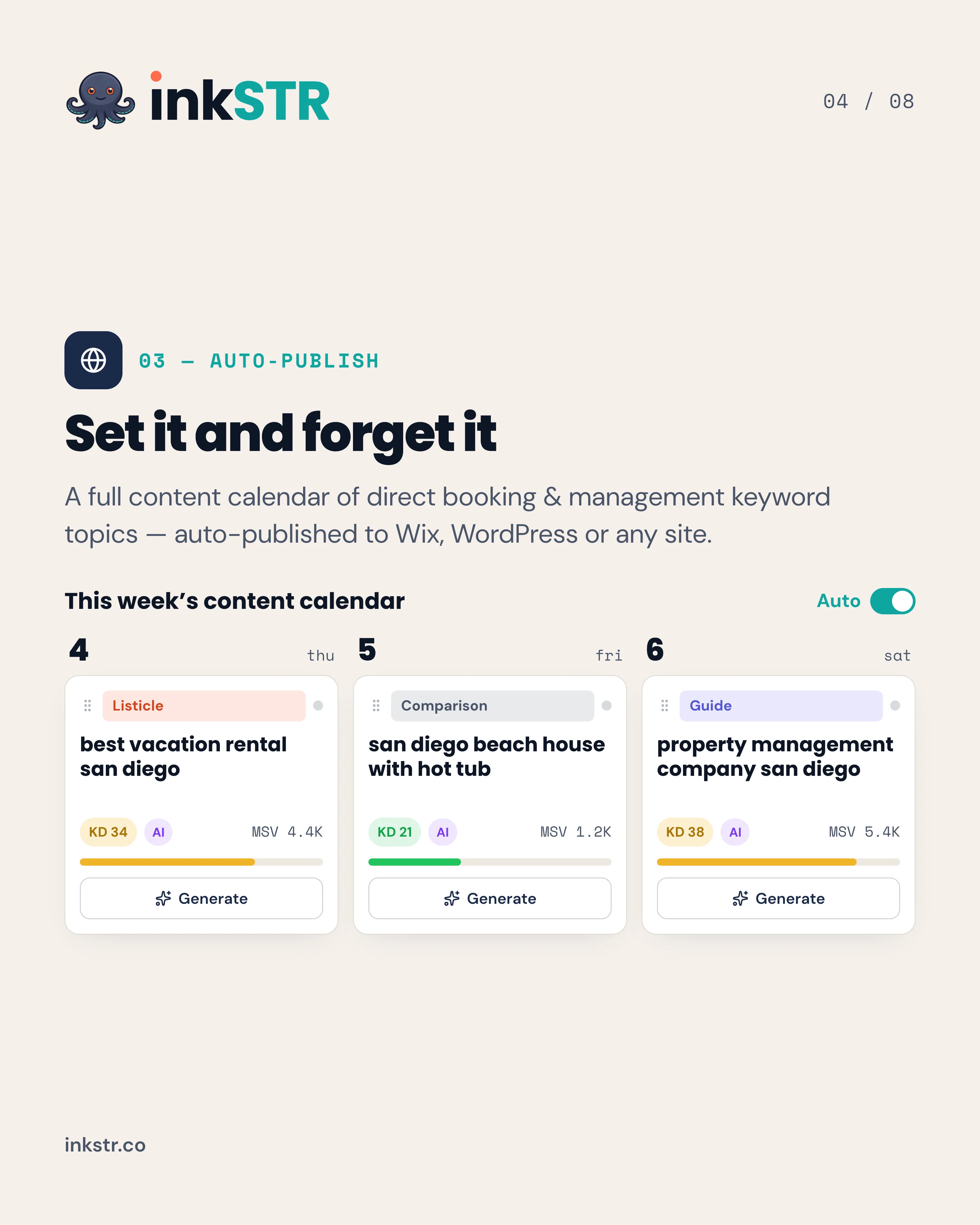
This is the structure inkSTR generates automatically. The content calendar holds each mapped article, so no two posts claim the same keyword and every cluster has a scheduled publish date.
How Does Keyword Research SEO Work in a Worked Example?
A worked example takes one seed through every step to a scheduled article. Here is an illustrative scenario, labeled as hypothetical: a host with a lakefront house wants direct bookings and starts from the seed "lake house rental."
Without a method, this host writes a post titled "Why Lake Life Is Magical" and hears nothing. With the method, the work looks different.
- Seed: "lake house rental" plus the market name and "pet friendly" from guest messages.
- Expand: Search Console shows impressions for a pet-friendly variant; Autocomplete adds "with dock" and "for large groups."
- Validate: the results page for the large-group phrase shows planning guides, so a blog post is viable.
- Score: the host holds the property details, so content cost is low, and a group booking is high value.
- Cluster and map: one pillar on lake house rentals for groups, with cluster posts on dock rules, pet policies, and group itineraries, each linking to the booking page.
The result is a calendar of articles tied to booking-ready searches. Real operators on inkSTR follow this pattern at scale. A Smoky Mountains cabin rental brand grew monthly Google Search clicks from 788 to 5,730 in 13 months. It used a continuous pillar-and-cluster pipeline, measured in Google Search Console.
Which Keyword Research Tools Are Worth Using, Free or Paid?
Keyword research tools fall into free Google sources and free or freemium third-party tools. Paid suites make up the third group. Each group answers a different question, so the right stack depends on your budget and how many pages you publish.
The trap is tool sprawl. Operators already juggle three to five software products. Adding a separate research subscription and a separate writer multiplies logins and cost without producing a published page, and a separate scheduler makes it worse.
| Tool type | Examples | Best for | Main limit |
|---|---|---|---|
| Free or freemium tools | Ubersuggest, Mangools | Quick idea expansion | Daily limits on searches |
| Workflow platform | inkSTR | Keyword plan through to published article | Built for STR; AI drafts benefit from a human review pass for local detail |
Our opinion: start with Search Console and Autocomplete, because they cost nothing and reflect real behavior. Add a paid suite only when competitor gap analysis is the bottleneck. inkSTR bundles keyword research, competitor analysis, drafting, and publishing at $99 per month, which replaces the research-to-publish handoffs rather than adding another one.
Ready to automate your content marketing?
inkSTR handles keyword research, content strategy, article writing, and publishing, all on autopilot.
How Do You Find Low-Competition Keywords for a Rental Website?
Low-competition keywords are specific, long-tail searches where the results page includes small sites or forums. Thin content shows up there too. For rental sites, they usually combine a property detail or a group type with a market name. A local question works as well.
Chasing broad phrases is the common failure. A new rental site cannot outrank national travel brands and listing platforms for a short, generic phrase, so the page sits unseen for months while the owner assumes SEO does not work.
Four methods work reliably:
- Filter Search Console for queries with impressions but average positions beyond the first page, then improve those pages.
- Add question modifiers (how, what, where, when) to seeds and read People Also Ask.
- Check whether forums or small blogs rank on page one; that signals room for a better answer.
- Look at competitor pages that rank for terms you do not cover, and write a more specific version.
Local and new sites need extra care. So do multi-market sites. A brand-new domain should target narrower phrases first and widen later, and a multi-market operator should map each market separately so pages do not overlap. inkSTR's brand audit runs a competitor keyword gap analysis and feeds the gaps into the plan, which saves the hours this research normally takes.

What Keyword Research Mistakes Cost Operators the Most Traffic?
The costliest keyword research mistakes are choosing terms by volume alone and skipping intent validation. Publishing overlapping pages and never refreshing the keyword map hurt just as much. Each one produces published content that cannot rank.
These mistakes compound. A host who picks by volume writes for the wrong intent, publishes a second post on the same topic, and then never revisits either. After six months the site has plenty of pages and little organic traffic.
- Trusting estimates as facts. Volume and difficulty scores differ between tools; use them to rank options, not to predict outcomes.
- Ignoring business value. A guide that attracts readers who never book is a traffic number, not a revenue source.
- Writing for the wrong format. If the results page shows listings, a blog post will not break in.
- Keyword stuffing. Forcing a phrase into every paragraph hurts readability; use natural variations instead.
- Never refreshing. Results pages shift, so an annual review of the map keeps pages aligned.
We designed inkSTR's quality scoring and pre-publish validation to catch structural problems before a post goes live, so a flawed draft does not reach your site.
How Does Keyword Research Change for AI Overviews and Answer Engines?
Keyword research for AI search means targeting the full question a person asks, then answering it in the first sentences of a section. Answer engines such as ChatGPT and Perplexity quote concise, self-contained passages with clear entities. Google AI Overviews do the same.
The old habit of targeting a two-word phrase and padding 2,000 words around it fits poorly here. Answer engines break a question into smaller sub-questions and pull a passage for each, so a page that buries its answer rarely gets quoted.
Adapt your research in three ways. First, collect question phrasings from People Also Ask and Search Console. Second, write each heading as a question and open the section with a direct answer. Third, name specific entities, platforms, and concrete details rather than vague references.
Keyword research is still important with AI search, and arguably more so, because the questions you target become the passages that get cited. Across inkSTR customer sites, we have secured more than 1,700 verified AI-search citations for customer content, as of November 2026. Our breakdown of AI search versus traditional SEO covers how the two differ in practice.
What Is Keyword Position, and How Do You Track It?
Keyword position is the rank at which your page appears in Google results for a specific query, where position 1 is the top organic result. Average position in Google Search Console is the mean across all impressions, so it can move even when a single page does not.
Tracking by hand means checking results page by page, which is unreliable because results vary by location and device. Many operators either never check or check a single phrase obsessively while ignoring the broader pattern.
Use Search Console to watch position and impressions per query and per page. Clicks matter as well. Positions 1 to 3 capture most clicks, so pages sitting in positions 4 to 10 are prime refresh candidates. A page with strong impressions but a weak click rate usually needs a better title and description.
For one Wisconsin vacation rental manager on inkSTR, average Google position improved from 15.6 to 7.8 over a two-month comparison, while impressions grew from 1,953 to 22,585, measured in Google Search Console. Our keyword research learning page and the keyword research fundamentals post go deeper on tracking basics.
What Is a Keyword Research Template You Can Copy?
A keyword research template is a single sheet that records each candidate keyword with its intent and score. It also notes the assigned page and status. One sheet that you update monthly replaces scattered notes and keeps pages from overlapping.
Skipping the template is why plans collapse. Ideas live in browser tabs, scoring lives in your head, and nobody remembers what was already published.
Use these columns, and follow the steps in order:
- Keyword and cluster name.
- Intent type confirmed from the live results page.
- Source: Search Console, Autocomplete, People Also Ask, or competitor gap.
- Four scores: intent fit, business value, feasibility, content cost.
- Assigned URL and the conversion page it links to.
- Publish date and next review date.
Quick reference of the full workflow: build seeds from your business, expand with Search Console and Autocomplete, and validate intent on the results page. Then score with the worksheet, cluster and map to pages. Finally, publish on a schedule and review monthly. If this feels like more hours than you have, the AI content writer drafts the article for each mapped keyword, and auto-publishing sends it to Wix or WordPress without manual steps.
Frequently Asked Questions
What is keyword research in SEO?
Keyword research in SEO is the process of finding the phrases people type into search engines and choosing which ones to target with content. For a rental site, it connects your pages to guest and owner searches. Our guide to vacation rental keyword research applies the same method to rental sites specifically.
What is keyword position in SEO?
Keyword position is where your page ranks in Google results for a given query, with 1 being the top organic result. Google Search Console reports an average position per query and per page. Pages in positions 4 to 10 are usually the best refresh targets.
What tools automate an AI content pipeline from keyword research to WordPress publishing and reporting?
A content automation platform handles the whole chain: keyword research, article drafting, scheduling, publishing, and search reporting. inkSTR does this for short-term rental operators, with one-click publishing to WordPress and Wix and Google Search Console integration for tracking. Its integrations page lists the connections.
What makes a good keyword for a rental website?
A good keyword matches an intent your page can satisfy, sits close to a booking or owner inquiry, and has results that a site your size can compete with. Specific phrases that combine a property detail or a group type usually beat broad terms. A local question works the same way. Volume matters less than fit.
How do I find vacation rental keywords guests actually search?
Start with the wording in guest messages and inquiry forms. Then add Google Autocomplete and People Also Ask, along with Search Console queries. Check the live results page to confirm intent. inkSTR's research chat gives on-demand keyword and competitor intelligence if you want to skip the manual gathering.
Open the Performance report and view queries. Then sort by impressions. Queries with many impressions and few clicks, or positions beyond the first page, point to pages worth improving. It only shows searches you already appear for, so combine it with Autocomplete for new ideas.
How many keywords should I target per page?
Target one primary keyword and a handful of closely related variations that share the same search intent. Confirm they share intent by checking that the same pages rank for each. If the results differ, give each its own page.
Is keyword research still important with AI search?
Yes. AI answer engines pull passages that answer precise questions, so the questions you research become the sections that get quoted. Read our honest answer on AI-generated content and SEO for how quality and structure factor in.
Conclusion
Keyword research SEO comes down to one habit: find a specific search, confirm what the results page rewards, and build one page for it. Start with Search Console and your own guest messages, score each term for business value, and map clusters to pages. In 2026, write each section as a direct answer so it can win a ranking and an AI citation. The step most operators never get to is the research itself, which is exactly what we built inkSTR to remove. It does so with its keyword plan and content calendar, plus automatic publishing.
If you want the keyword plan, the drafts, and the publishing schedule handled in one place, Start Free Trial with inkSTR. It builds your keyword plan, writes each article in your project's style, and publishes on a schedule, so your direct booking pages finally get traffic.
Content powered by inkSTR.co
Enjoyed this article? Share it:
Get more of inkSTR in Google Search
Add inkstr.co as a preferred source and our articles show up more in Top Stories, AI Overviews, and AI Mode, with a “Preferred” badge.
Get more guides like this
New SEO and AI-search guides, straight to your inbox. No spam, unsubscribe anytime.