Best SEO Tools for Small Business: A Stack by Budget
The best SEO tools for small business start with three free Google products: Search Console for queries and clicks, Analytics 4 for conversions, and Business Profile for local visibility. Add a content engine once you know what to publish. For short-term rental operators, that engine is inkSTR, which handles keyword research and article drafting, then publishes on a schedule for $99/month.
Key Takeaways
- Google Search Console, Google Analytics 4, and Google Business Profile give you first-party data at no cost, which is more reliable than third-party keyword estimates.
- Search Console only reports queries where your site already appears; it cannot tell you what to write next.
- Paid all-in-one SEO suites help with rank tracking and competitor research, but plan limits, billing terms, and learning curve differ widely, so confirm current pricing before you commit.
- According to MarketingCharts (2026), 51% of small business owners say creating content is among their most time-consuming marketing tasks.
- SEO cost splits into tools, content, and your time; a freelance travel writer charges $300 to $700 per post, and writing one post manually takes 3 to 5 hours.
- inkSTR automates keyword research, article drafting, scheduling, and one-click publishing to WordPress and Wix, so the content gap closes for $99/month.
SEO tools are software that do four jobs: show which queries bring visitors, check your site for technical problems, track your rankings, and help you produce content. Most small business owners buy for the first three jobs and leave the fourth undone.
The numbers explain why. MarketingCharts (2026) reports that 51% of small business owners and operators rank content creation among their most time-consuming marketing tasks. That includes writing copy and finding images. The same research found that 52% regularly delay or postpone their marketing.
At inkSTR, we work with short-term rental operators across the country, and the pattern is consistent: the tool stack is rarely the weak point. The missing piece is published content that gives the tools something to measure. This guide sorts the picks by budget in 2026, names the limits of each, and shows where each one earns its place.
How Do You Choose the Best SEO Tools for a Small Business?
Choosing SEO tools means matching each tool to one job, such as finding queries or checking site health. Tracking rankings and producing content are separate jobs too. A tool that does none of those for your specific site is overhead, however good its feature list looks.
Most owners do the opposite. They sign up for a suite with a dozen dashboards and log in twice. Then they return to guessing. Add the hours spent learning each interface, and the real price of a tool includes every hour you spend not using it.
Judge every candidate on four criteria:
- Data source: first-party data (measured by Google on your site) versus third-party estimates (a vendor's model of search volume).
- Time to value: how many weeks pass before the tool changes a decision you make.
- Total cost: the subscription plus the staff time to operate it.
- Switching cost: whether you can export your history if you leave.
We built inkSTR around that logic: one pipeline from keyword research to published post, so you reconcile one data source instead of four. The keyword research feature finds the terms your target guests search, then feeds them straight into the article queue. The table summarizes each pick; billing terms and plan limits change, so check current pricing on each vendor's site.
| Pick | Cost | Primary job | Main limitation |
|---|---|---|---|
| 2. Google Analytics 4 | Free | Conversions and visitor behavior | Key events need deliberate setup |
| 3. Google Business Profile | Free | Local map visibility and reviews | Eligibility rules apply |
| 5. inkSTR | $99/month | Keyword plan, article drafting, scheduling, publishing | Built for STR operators; AI drafts benefit from a human review pass |
| 6. All-in-one suites and crawlers | Varies by plan | Rank tracking, backlink data, site audits | Learning curve and estimated data |
1. Google Search Console: Your Free First-Party Data Source
Google Search Console is a free tool from Google that reports which search queries showed your site, how many clicks each earned, and your average position. It is first-party data: Google measured it directly rather than estimating it.
Without it, you lean on third-party keyword volumes and a gut feeling about what ranks. Pulling the Performance report by hand each week and sorting by impressions eats time you would rather spend writing. So does hunting for pages stuck on page two.
One detail worth calling out: average position blends every query and device. A page showing position 8 may rank 3rd for one query and 40th for another, so filter by query before you act. Search Console also keeps a limited history, so export your data on a schedule. And it lists only queries where you already appear.
That last gap is why inkSTR connects to Search Console. It tracks your keywords and flags opportunities, so you see which posts to refresh or expand without combing the report yourself. You can set up Google Search Console today; it collects data as soon as you verify your site.
Best for: every site, on day one. Cost: free. Limitation: diagnoses what exists, never suggests what is missing.
2. Google Analytics 4: Tracking What Visitors Do After They Click
Google Analytics 4 is Google's free analytics platform that records how visitors move through your site and which actions they complete. Search Console tells you how people arrived; Analytics tells you whether they did anything useful.
Pageviews alone mislead. A cabin owner can celebrate traffic growth while zero visitors reach the inquiry form. Meanwhile every booking that goes through an OTA instead costs you 17-19% in combined host and guest fees on Airbnb, so unmeasured direct traffic has a price.
Mark booking requests and form submissions as key events. Phone clicks belong on that list too. Then filter the landing pages report to organic search and see which articles feed inquiries. The learning curve is real: the interface takes a few sessions to read comfortably, and nothing works until key events are configured. Start with Google Analytics 4 and one conversion.
We write every inkSTR article to link internally toward a booking or inquiry page, which makes the Analytics view meaningful. If lowering commission dependence is the goal, our direct booking content approach shows how informational posts map to conversion pages.
Best for: anyone with a conversion goal. Cost: free. Limitation: measures results, produces nothing.
3. Google Business Profile: The Local Visibility Tool
Google Business Profile is a free listing that controls how a business appears in Google Maps and local search results. It matters most for companies with a physical location or defined service area.
The pain shows up when a property management company searches its own market and finds competitors in the map results while its website sits on page three. Local searchers rarely scroll past the map listings, so invisibility there costs owner leads.
A caveat that generic guides skip: an individual vacation rental usually will not qualify for a profile, because Google's eligibility guidelines center on businesses serving customers in person. A management company with a staffed office or service area often can. Check the current guidelines on Google Business Profile before creating one.
The profile handles the map. The website needs local-intent articles to rank organically for "vacation rental management" style queries, and that is the work inkSTR automates for property management companies. Our guide to local signals Google weighs in 2026 covers how the two pieces connect.
Best for: management companies and service-area businesses. Cost: free. Limitation: eligibility rules and ongoing review management.

4. Google Keyword Planner and Google Trends: Free Topic Research
Google Keyword Planner is a free keyword idea tool inside Google Ads, and Google Trends shows relative search interest over time. Together they answer which topics your customers care about and when.
Without them, keyword research becomes a spreadsheet of hunches. You guess phrases, check them one at a time, and write posts nobody searches for. Keyword Planner requires a Google Ads account and was built for advertisers, so it often returns broad volume ranges rather than precise counts.
Trends is relative, not absolute: it tells you a topic's interest rose or fell, not how many searches occurred. That makes it excellent for seasonality. A lake house market and a ski-town cabin market swing in opposite seasons, and your publishing calendar should lead those peaks by weeks.
This is where we built inkSTR to take over. Instead of cross-checking two free tools, you get a keyword plan generated with vacation rental terminology and traveler intent already built in, ready to drop into the content calendar.
Best for: early topic discovery. Cost: free. Limitation: ranges instead of exact numbers, and no rank tracking.
5. inkSTR: The Content Engine for Short-Term Rental Operators
inkSTR is an AI content platform that researches keywords, drafts full-length articles, schedules them, and publishes to your site. It covers the fourth SEO job, producing content, that the free tools leave open.
The manual alternative is slow and expensive. Writing one quality post takes 3 to 5 hours of research and drafting, and a freelance travel writer charges $300 to $700 per post. Neither scales to a portfolio of properties or a weekly publishing schedule.
Here is the workflow. The AI content writer generates 2,500 to 3,500 word drafts in your project's writing style, with a quality score before anything goes live. The content calendar queues them by drag and drop, and one-click publishing sends them to WordPress or Wix. Hospitable and OwnerRez integrations pull real reviews and photos into the content.
The proof point we cite most is Hemlock Hills, a Smoky Mountains cabin rental brand. It grew monthly Google Search clicks from 788 to 5,730 in 13 months. The steady inkSTR pipeline drove that growth, measured in Google Search Console.
The honest limits: inkSTR is built for short-term rental and hospitality operators, so a plumbing company would not benefit from its vocabulary. It does not run technical crawls or local map tracking. And AI drafts benefit from a human review pass for hyperlocal detail. See pricing for plan details.
Best for: STR operators who need consistent content without a writer. Cost: $99/month. Limitation: niche focus and no technical audits.
Ready to automate your content marketing?
inkSTR handles keyword research, content strategy, article writing, and publishing, all on autopilot.
6. Paid All-in-One Suites and Site Crawlers: When to Add Them
An all-in-one SEO suite is a paid platform bundling a keyword database, rank tracking, backlink data, and site audits, while a site crawler scans your pages for broken links, redirect chains, and missing tags. Both add depth that free tools lack.
The agitation here is cost and complexity. Plans vary by billing period (monthly versus annual) and tracked keyword limits. Project counts differ too, and a dashboard you open once a quarter is money spent on nothing. Estimated keyword volumes and authority scores also differ from vendor to vendor, because each runs its own crawl and model.
Our advice: compare trend direction across periods, never absolute numbers across tools, and treat suite data as directional. Add a suite when you track many keywords in a competitive market and someone on your team owns the weekly review.
A suite does not write or publish anything, so it sits beside a content engine rather than replacing one. inkSTR's brand audit and competitor keyword gap analysis cover the competitive research for rental sites, and our roundup of automated SEO tools for vacation rental sites compares the options. For crawl errors, our technical SEO fundamentals guide explains what to fix first.
Best for: competitive markets with a dedicated owner. Cost: varies by plan. Limitation: learning curve, estimated data, no content production.

How Do You Get the Best SEO Results From This Stack?
Getting the best SEO results means assigning each tool a recurring task and a metric it should move. Tools without a schedule become shelfware within a month.
The usual failure is installing everything at once and reviewing nothing. A 30-day sequence prevents that:
- Week 1: Verify your site in Search Console, install Analytics 4, and define one key event such as an inquiry submission.
- Week 2: Claim or clean up Google Business Profile if you are eligible, then list queries in Search Console with high impressions and low clicks.
- Week 3: Run keyword research and build a cluster plan around your best opportunities.
- Week 4: Schedule your first batch of articles, and preview titles and descriptions in the Google SERP Simulator before publishing.
Which Metrics Should You Track?
Track impressions, clicks, average position, organic landing page conversions, and inquiries. Impressions show visibility; conversions show whether visibility pays. Ignore daily rank swings and read monthly trends.
How Should You Match the Stack to Your Business Type?
A local service business leans on Business Profile and Search Console. An ecommerce store needs Analytics 4 product reporting and a crawler. A B2B company weights content and competitor research. A rental operator needs a steady article pipeline first, which is exactly what inkSTR automates; our automated SEO tools for STR operators guide goes further.
How Much Does SEO Cost for a Small Business?
SEO cost for a small business splits into tool subscriptions and content production. Your own time is the other part. Tools are the smallest part; content and hours dominate.
The free Google tools cost nothing in cash, but they charge in hours. Writing posts yourself runs 3 to 5 hours each, and a freelance writer charges $300 to $700 per post. Agency retainers are quoted individually, so compare what each one covers and delivers rather than the headline price.
| Approach | Cash cost | Your time | Note |
|---|---|---|---|
| Free Google tools, self-written posts | $0 in subscriptions | 3 to 5 hours per post | Slow to publish consistently |
| Free tools plus freelance writer | $300 to $700 per post | Briefing and editing | Cost rises with every post |
| Free tools plus inkSTR | $99/month | Review pass on drafts | Posts schedule and publish automatically |
| Agency retainer | Custom pricing | Approvals and reporting | Scope varies by agency |
The return side matters too. A single direct vacation rental booking is typically worth $1,000 to $4,000 in revenue, and a ranking article can drive organic traffic for 2 to 5 years. One article that earns a booking can outweigh a year of subscription fees.
That is the math behind our pricing: inkSTR generates and publishes articles on a set schedule for a flat monthly fee, so cost does not climb with every post.
Is SEO Dead or Evolving in 2026?
SEO is evolving, not dying. Google results now sit beside AI answers in AI Overviews and ChatGPT. Perplexity does the same, and those systems pull from pages with clear, answer-first structure.
The risk is invisibility in the new surfaces. Search Console reports Google Search performance, but it will not tell you whether a chatbot cited your page. Checking by hand means typing your target questions into each assistant and noting which sites appear, a chore few owners repeat.
Structure is your lever. Open sections with a direct answer and name entities specifically. Keep each section understandable on its own. We build inkSTR articles this way for Google and LLM citation from the first draft. As of November 2026, inkSTR has secured more than 1,700 verified AI-search citations for customer content.
The Hemlock Hills result above shows that classic organic growth still works too. The fundamentals have not changed, only the number of places your answer can appear.
Frequently Asked Questions
Which AI platforms and tools are best for AI visibility enhancement?
No single tool guarantees AI visibility. The reliable approach combines Search Console for Google performance, manual prompt checks in AI assistants, and content structured as direct answers. inkSTR optimizes articles for citation in Google AI Overviews and ChatGPT from the first draft. It does the same for Perplexity.
What tools automate an AI content pipeline from keyword research to WordPress publishing and reporting?
inkSTR covers that full pipeline: keyword research, article drafting, a drag-and-drop content calendar, and one-click publishing to WordPress or Wix. Search Console integration handles ranking and opportunity reporting. See how inkSTR works for the full workflow.
How can I audit my website for GEO best practices?
Check that each page opens with a direct, quotable answer, uses question-based headings, names specific entities, and includes an FAQ section. Then test your key questions in AI assistants and note whether your site appears. inkSTR's brand audit adds a competitor keyword gap analysis.
It is enough to diagnose how you perform in Google, and it costs nothing. It cannot research new topics or write articles. It also cannot track AI citations, so most businesses pair it with Analytics 4 and a content process.
What is the minimum SEO tool stack a small business needs?
Search Console and Analytics 4 are the minimum, with Business Profile added if you qualify for a local listing. Beyond that, the gap is almost always content production, which inkSTR handles for $99/month.
How long does it take to see results from SEO tools?
Results typically take months, not days. They depend on competition and domain age, as well as publishing consistency. Tools reveal progress faster than rankings move. A ranking blog article can keep driving traffic for 2 to 5 years.
Conclusion
The best SEO tools for small business in 2026 begin with free Google data and end with whatever closes your biggest gap. For most rental operators, that gap is content, not another dashboard. Start with Search Console and Analytics 4 this week and define one conversion. Add a suite only when you have a person to read it.
The step most owners never reach is the one that turns data into published articles. That is where we built inkSTR to help, and the search landscape of 2026 rewards operators who publish steadily and structure answers clearly.
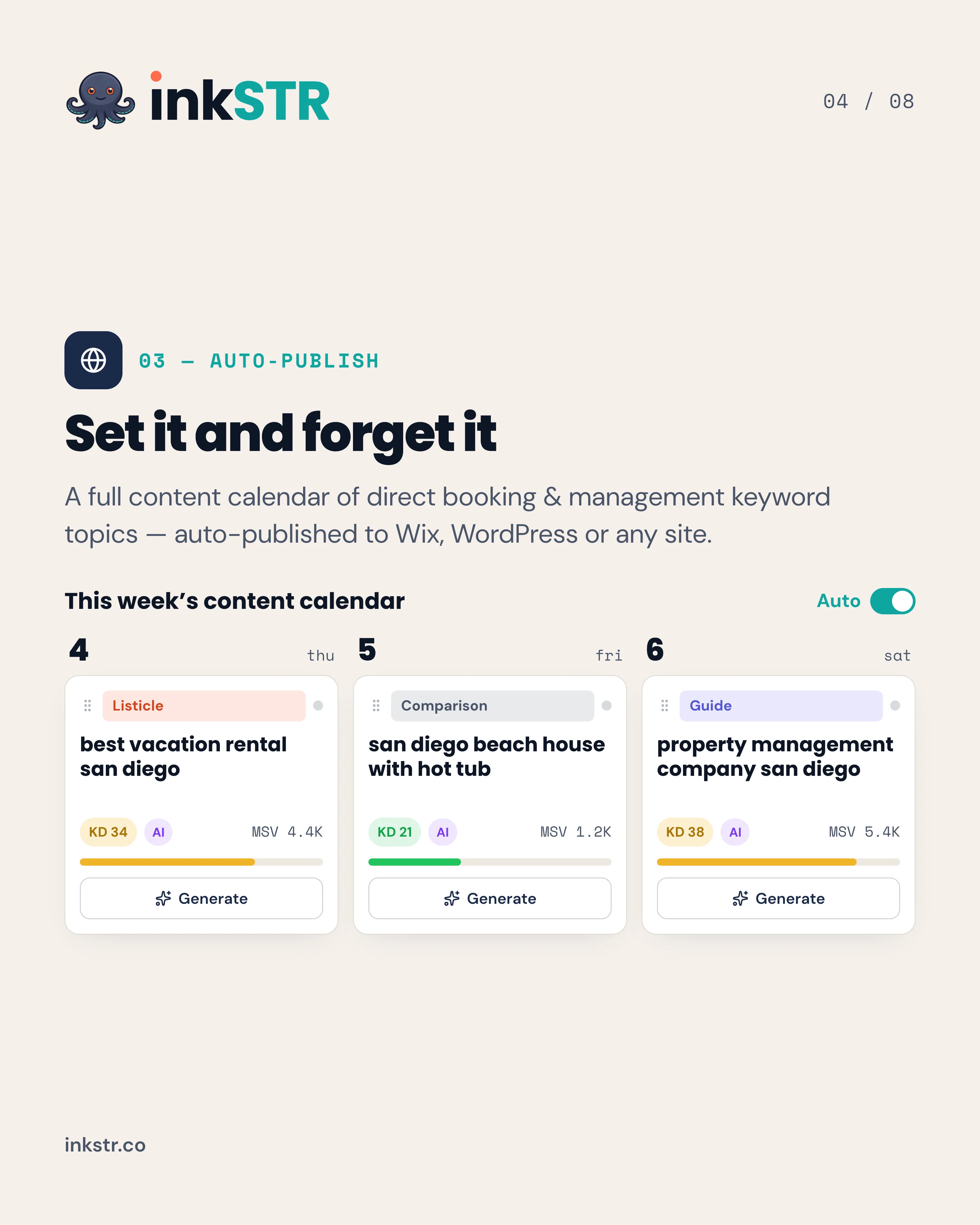
If you want the keyword plan, the drafts, and the publishing schedule handled for you, inkSTR builds and runs that pipeline for your vacation rental site. Each article is queued on the content calendar and published to WordPress or Wix with a quality score before it goes live. Start your free trial and see your first keyword plan today.
Content powered by inkSTR.co
Enjoyed this article? Share it:
Get more of inkSTR in Google Search
Add inkstr.co as a preferred source and our articles show up more in Top Stories, AI Overviews, and AI Mode, with a “Preferred” badge.
Get more guides like this
New SEO and AI-search guides, straight to your inbox. No spam, unsubscribe anytime.