How to Publish Blog Posts Automatically to WordPress
To publish blog posts automatically to WordPress, connect your site to a content tool or automation service, map each article's title, body, category, and featured image to WordPress post fields, then set a publish schedule. Start with drafts so you can review first.
Key Takeaways
- Automatic WordPress publishing means a tool creates and schedules posts for you through a connection to your site, so nobody pastes text into the editor by hand.
- WordPress already schedules posts natively; what it cannot do is write the articles or manage a multi-month calendar for you.
- RSS-to-WordPress automations suit curated news, but they are a poor fit for original, keyword-targeted vacation rental content.
- A safe workflow sends posts to draft first, then moves to scheduled publishing once you trust the output.
- Writing one quality post manually takes 3 to 5 hours, and a freelance travel writer charges $300 to $700 per post.
At inkSTR, we build content tools for short-term rental operators, and the question we hear constantly is how to keep a WordPress blog fed without giving up every evening to it. This guide walks through six steps, from choosing a method to monitoring results, with the edge cases most tutorials skip. Everything here applies in 2026 whether you run one cabin or fifty units.
Most guides on this topic focus on RSS feeds and Zapier workflows built for curating other people's news. That is a different job from what you need. Your goal is original articles that rank for searches like lake house rentals near a specific town and send readers to your own booking page.
So the steps below cover the full chain: where the content comes from and how it reaches WordPress. They also cover the permissions and settings you need in place, plus the safeguards that keep a bad draft from going live.

Step 1: What Does Automatic WordPress Publishing Actually Mean?
Automatic WordPress publishing means a connected tool creates posts on your site and sets them live on a schedule, without you opening the post editor. Three pieces are involved: a content source, a connection to WordPress, and a trigger that decides when the post appears.
Many operators confuse this with scheduling. WordPress lets you pick a future date on a post you already wrote, and that is useful. But you still wrote it and formatted it. You also chose the category and uploaded the image. The painful part is everything before the schedule button.
The three layers to understand
First, the source: where the article text comes from (an AI writer, a spreadsheet, an RSS feed, or an email). Second, the connector: an application password, REST API connection, or plugin that lets the tool write to your site. Third, the schedule: the rule that decides draft versus live and which day.
Skipping any layer is where setups break. A source with no connector leaves you copying text. A connector with no schedule floods your blog with ten posts in one afternoon, which looks unnatural. It also wastes content you could have spaced across weeks.
We built inkSTR's Auto-Publishing feature around all three layers in one place: it takes the finished article, sends it to WordPress, and holds it until the date you chose. You skip the paste-format-upload loop entirely.
Step 2: Which Method Should You Use to Publish Posts Automatically?
You can automate WordPress publishing three ways: native post scheduling, an automation service such as Zapier connected to a source, or a purpose-built content platform that writes and publishes together. The right choice depends on where your articles come from and how technical you want to get.
Native scheduling costs nothing but automates nothing upstream. Automation services handle triggers well, including RSS items and Google Sheets rows, but they only move content; someone still has to produce it. A content platform covers production and delivery.
| Method | Writes the article? | Technical effort | Best for |
|---|---|---|---|
| Automation service (RSS or spreadsheet trigger) | No | Medium to high | Curated news or pre-written content |
| Content platform with built-in publishing | Yes | Low | Operators without writing time |
Our opinion: RSS-based workflows are the wrong tool for a vacation rental blog. Republishing other sites' feed items creates thin, duplicate-prone content that does nothing for direct bookings. Reserve that pattern for a small news widget, not your core strategy.
The pain of the manual route is real. Writing a single quality post takes 3 to 5 hours, and a freelance travel writer charges $300 to $700 per post. inkSTR's AI Content Writer produces the article and hands it to the publishing step, which is why we treat writing and publishing as one workflow.
Step 3: How Do You Connect Your Site to WordPress?
Connecting a tool to WordPress means giving it permission to create posts through your site's REST API, usually with an application password tied to a user account. Without correct permissions, automations fail silently or save nothing, which is the most common reason a first setup does not work.
Competing tutorials rarely cover this part, so here is the checklist we use.
- Create a dedicated user in WordPress for automation, with the Author or Editor role. Avoid using your Administrator login.
- Generate an application password for that user from the profile screen, and store it in your tool, not in a shared document.
- Confirm your site runs over HTTPS, since the connection will usually refuse an insecure address.
- Send a test post as a draft and check that the title, body, and category arrived intact.
Troubleshooting connection failures
If the test fails, check two things in order. A security plugin or host firewall may block REST API requests, or a caching layer may hide the new post. If neither applies, the user role may lack permission to publish, in which case drafts work but live posts do not.
Doing this by hand across several sites is slow, and one wrong role setting can cost a week of silent failures. inkSTR connects to WordPress as a built-in publishing destination, so you authorize once and the tool handles the post creation. Each property or brand gets its own independent project and pipeline.
Step 4: How Do You Plan the Content That Gets Published?
Planning automated content means choosing keywords and topics before a single post is created, so each article targets a search a guest or owner actually types. Automation multiplies whatever strategy you feed it; a weak topic list produces weak posts faster.
Unplanned automation is a common trap. Operators connect a tool, generate twenty posts on loosely related topics, and see no traffic because nothing targets buying intent. Hours of research disappear into spreadsheets, and you end up guessing which topics deserve a post.
A better structure is pillar and cluster: one broad article on a core topic, supported by narrower posts that link back to it and to your booking page. For a cabin rental, that might mean a pillar on planning a mountain weekend, with clusters on seasonal activities and pet-friendly stays. Our guide to vacation rental blog topics that drive bookings gives starting ideas.
This is why we built Keyword Research into the same platform that publishes. It finds the searches your target guests use and feeds them into the writing step, so you are not choosing topics from a blank page.
Step 5: How Do You Schedule Posts So They Publish on Autopilot?
WordPress schedules posts by assigning a future publish date and time to a post with the Scheduled status; the site then publishes it automatically when that moment arrives. The built-in scheduler works well, but it depends on your site receiving traffic or a server cron job to fire on time.
On low-traffic sites with aggressive caching, a scheduled post occasionally publishes late or shows a "missed schedule" notice. A real server cron job, configured through your host, removes the delay.
Pick a cadence you can sustain
Consistency matters more than volume. A steady rhythm, such as two posts a week, beats a burst of twenty followed by silence. Spread posts across weeks so each has time to be indexed before the next arrives, and hold a few evergreen pieces in reserve for slow weeks.
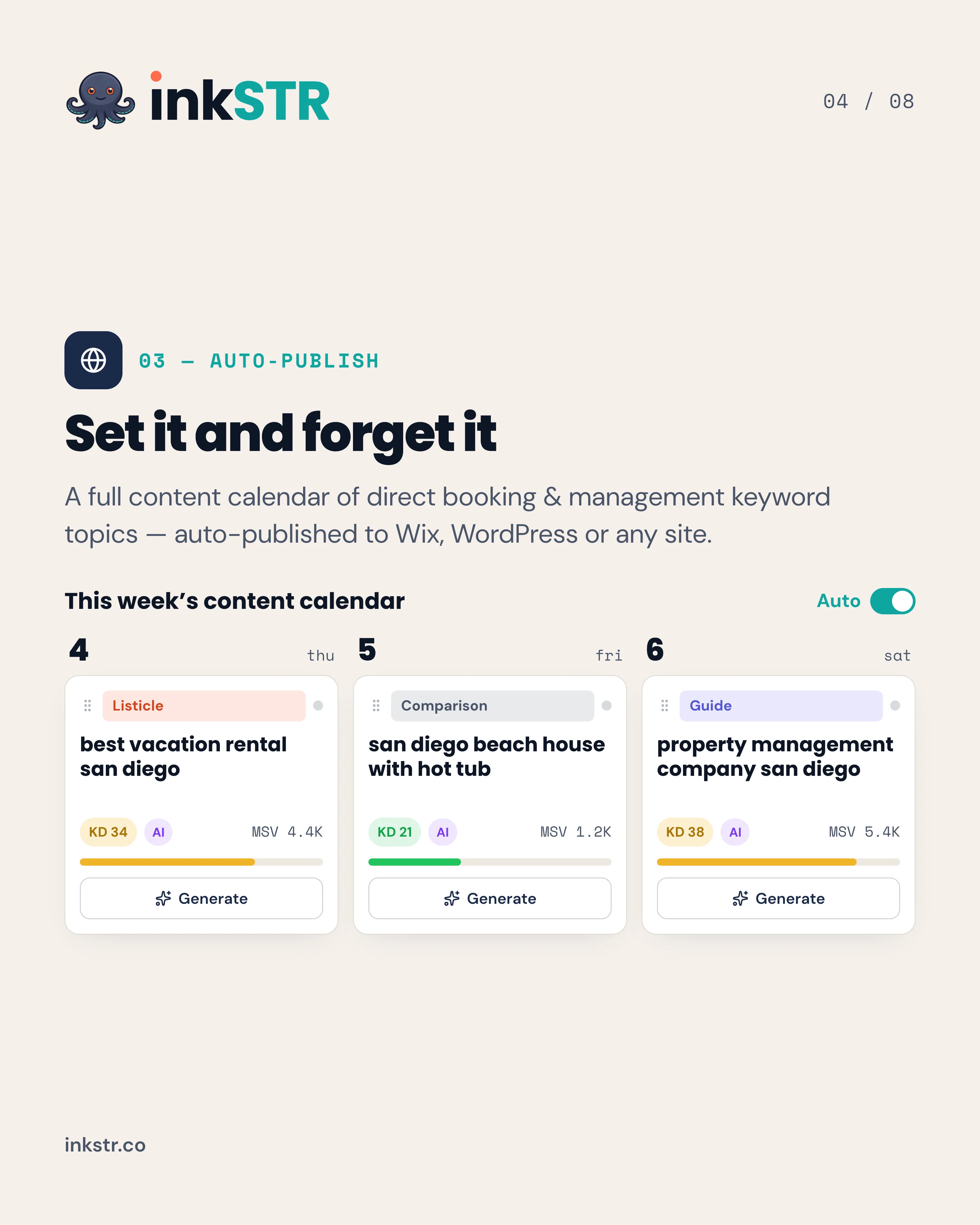
Doing this by hand means opening each post and picking a date, then checking it later. It is easy to forget, and calendars fall apart by week two. In inkSTR, you open the Content Calendar, drag an article to Tuesday, and the scheduler publishes it to your WordPress site. You can plan weeks of posts in a single sitting.
Ready to automate your content marketing?
inkSTR handles keyword research, content strategy, article writing, and publishing, all on autopilot.
Step 6: Should Automated Posts Go Live Immediately or Save as Drafts?
Automated posts should save as drafts until you trust the output, then move to scheduled publishing with a pre-publish check in place. Draft-first workflows let you catch factual errors and awkward phrasing before a guest or Google ever sees the page. Missing images get caught too.
Automation templates emphasize speed and say little about safeguards. That gap hurts. A post that goes live with a wrong check-in policy or a broken image reflects on your brand, and unpublishing does not remove it from search caches right away.
A practical review routine
- Check every local claim, such as distances, venues, and seasonal details, against what you know firsthand.
- Confirm the post links to your own booking or inquiry page.
- Verify the category, featured image, and meta description before scheduling.
- Switch to auto-live only after several drafts pass without edits.
We built quality scoring and pre-publish validation into inkSTR for this reason. It flags weak or risky content before it reaches WordPress, so your review time goes to the details only you know. If you want a deeper look at keeping voice consistent, read our guide to article automation without losing your brand voice.
What Are the Best Tools and Plugins for WordPress Auto Publishing?
The best setup depends on your content source. Automation services connect triggers like RSS items or spreadsheet rows to a Create Post action, WordPress.org's plugin directory lists feed-based auto-publish plugins, and content platforms such as inkSTR handle writing and delivery together.
Several free plugins exist in the WordPress directory, typically for pulling in feed content or queuing posts. Free is fine for experiments. But free tools leave the writing, keyword research, and quality checks to you, which is where the hours go.
Automation services follow a trigger-and-action pattern: detect a new item, filter it, clean the formatting, check for duplicates by source URL or title, assign a category, and create the post as a draft or live. That pattern works for curated content and breaks down for original articles that need keyword targeting and internal links.
For AI-assisted writing, general chat assistants can draft text, but you then handle formatting, images, links, and publishing yourself. A short comparison of cost versus effort: the free route costs time, a freelancer costs $300 to $700 per post, and inkSTR starts at $99/month for the whole pipeline. See current pricing for plan details.
For measurement after publishing, connect Google Analytics and Search Console to watch clicks and impressions. Our post on how to rank your vacation rental website on Google covers what to track.
What Results Can Automated WordPress Publishing Produce?
Automated publishing produces results when consistency meets strategy. A ranking article can drive organic search traffic for 2 to 5 years, so each post compounds. Results arrive over months, not days. No tool can guarantee rankings.
Here is real data from inkSTR customers. Hemlock Hills, a Smoky Mountains cabin rental management company, used a continuous inkSTR pipeline auto-published to WordPress. Over 13 months, its monthly Google Search clicks grew from 788 to 5,730, and $309,775 in direct booking revenue was attributed to the effort, measured in Google Search Console and Google Analytics.
A direct booking carries weight because a single one is typically worth $1,000 to $4,000 in revenue. Airbnb host and guest fees combined take 17 to 19% of every booking. Traffic you own avoids that cut.
Across inkSTR customer sites, we have published more than 5,800 articles as of November 2026. The pattern behind that volume matters more: steady cadence, content grounded in real property details, and publishing that never depends on someone remembering to click a button.
One honest caveat. If you run a single property with a strong Google Business Profile, you may not need a full cluster strategy on day one. Start with a handful of high-intent posts and expand once they index.

Frequently Asked Questions
A complete pipeline needs keyword research, article generation, scheduling, WordPress publishing, and performance reporting. Automation services connect separate tools but leave gaps. inkSTR combines keyword research and article writing with a content calendar, in one platform built for short-term rentals. One-click WordPress publishing and Google Search Console tracking are part of it.
It means a connected tool creates posts on your WordPress site and publishes them on a schedule without you using the post editor. The tool supplies the content, connects through the REST API or a plugin, and follows a set publish date. You review drafts instead of formatting posts.
You assign a future date and time to a post and choose Schedule; WordPress then publishes it at that moment. The scheduler relies on site activity or a server cron job. If a post shows a missed schedule notice, ask your host to set up a real cron job.
The plugin directory on WordPress.org lists several feed-based and queue-based auto-publish plugins. They suit pulling in curated content, but they generally do not write original articles. For keyword-targeted vacation rental posts, a content platform with built-in WordPress publishing saves more time.
Many auto-publish plugins offer free versions with limited features, and the WordPress.org directory shows current options. Check each plugin's update history and compatibility before installing. Free tools usually handle delivery only, so you still supply the writing and images. Quality control is yours too.
Look for tools that write, schedule, and publish in one flow, not just draft text. General AI assistants can draft but leave formatting and publishing to you. inkSTR is built for short-term rental operators and publishes straight to WordPress from its Content Calendar.
Should I publish AI-written posts as drafts first?
Yes, at least at the start. Drafts give you a chance to check local details and links before the post goes live. Images get the same check. Move to automatic live publishing only after several drafts pass review without changes.
Can I automate blogs for more than one property?
Yes. inkSTR supports multiple projects, each with its own independent pipeline. Every property or brand can have its own schedule and WordPress destination. See how inkSTR works for the full workflow.
Conclusion: What Is the Simplest Way to Publish Blog Posts Automatically to WordPress?
The simplest way to publish blog posts automatically to WordPress is to connect one tool that writes and schedules articles, then delivers them. Start with drafts, and move to a steady schedule once the output earns your trust. Quick-reference summary: choose your method, connect with a dedicated user, plan keywords, schedule a sustainable cadence, review drafts, then track results in Search Console.
Doing every step by hand costs 3 to 5 hours per post, and a freelancer costs $300 to $700 for each one. In 2026, with AI search reshaping how guests find rentals, a blog that publishes consistently is an asset you own, and it keeps working for years once ranked.

If you want your WordPress blog to fill itself with keyword-targeted articles that lead readers to your own booking page, Start Free Trial with inkSTR. You will plan weeks of posts in the content calendar and review drafts. Then let the scheduler publish to WordPress on the dates you choose. It is the direct path from a blank editor to a blog that earns direct bookings.
Content powered by inkSTR.co
Enjoyed this article? Share it:
Get more of inkSTR in Google Search
Add inkstr.co as a preferred source and our articles show up more in Top Stories, AI Overviews, and AI Mode, with a “Preferred” badge.
Get more guides like this
New SEO and AI-search guides, straight to your inbox. No spam, unsubscribe anytime.