How to Turn Guest Questions Into Blog Posts in 2026
How to turn guest questions into blog posts comes down to three moves: log the questions guests repeat, keep the ones people also search for, and answer each in its own post that opens with the direct answer. At inkSTR, we automate the drafting and publishing.
Key Takeaways
- Guest questions are the pre-booking inquiries, in-stay messages and review comments guests send you. Repeated ones make the strongest blog topics because real guests have already proven the demand.
- Score each repeated question on frequency, search demand, guest impact, business relevance and effort before you write a word.
- Check demand with Google Search Console, People Also Ask and a keyword tool. Questions with no search volume still belong in a FAQ or welcome guide.
- Open every post with a 40 to 60 word direct answer so Google snippets and AI assistants can quote it.
- Link each post to your booking page. A single direct booking is typically worth $1,000 to $4,000 in revenue.
- inkSTR drafts, schedules and publishes these posts to Wix or WordPress, so the workflow runs on a set schedule instead of your evenings.
You have typed the same answer before. Is the dock shared? Does a trailer fit in the driveway? The reply goes to one guest and disappears into a message thread, and the next guest asks again at 11 p.m.
Those repeated messages are the best topic list a rental website can get. Guests tell you what worries them before they book, and they type the same worries into Google while they compare your listing with another. In 2026, with AI assistants answering many of those searches directly, a post that opens with a specific answer has a chance of being quoted instead of skipped.
This guide covers seven steps, from collecting questions to measuring results. Writing one quality post by hand typically takes 3 to 5 hours of research and writing, so the workflow matters as much as the idea. We built our platform around that bottleneck and point out where it helps at each step.
Step 1: Where Do You Find the Guest Questions Worth Answering?
Guest questions are the messages, review comments, pre-booking inquiries, check-in texts and phone calls guests send you before, during and after a stay. The fastest source is your own sent-message history, because every explanation you type more than twice is a repeated question with proven demand.
Without a system, those questions sit scattered across Airbnb messaging and VRBO. Email and text threads hold the rest. Scrolling back through three months of conversations to spot patterns takes an afternoon, so most hosts skip it. The blog calendar then fills with generic 'things to do' posts that no guest asked for.
Run a quarterly audit of your sent replies, then widen the net:
- Pre-booking inquiries. These expose buying hesitations such as pets, parking, noise, accessibility and cancellation terms. They carry the most weight.
- In-stay messages. Wi-Fi, the hot tub, trash day and heating in shoulder season point to gaps in your welcome guide.
- Reviews and post-stay notes. Any line that starts with 'we wish we had known' is a topic.
- Public sources. Google's People Also Ask plus Reddit and Quora threads about your destination show how strangers phrase the same worry.
- Your team. Cleaners, co-hosts and maintenance staff hear what guests say out loud.
Log each question in a spreadsheet with a tally. When you quote a guest, paraphrase the question and drop the name, dates and unit so the post never identifies who asked.
We built inkSTR's PMS integration with Hospitable and OwnerRez so drafts can start from real reviews and photos instead of invented details. Guest data feeds in as well.
Step 2: Which Guest Questions Deserve a Full Blog Post?
A guest question deserves a full blog post when guests ask it repeatedly, the answer affects whether someone books or how the stay goes, and a good reply needs more than one sentence. Short factual questions fit a FAQ entry. Broad, hesitation-driven questions fit a post.
Skip the filter and you write about everything, which burns hours. Or you write about whatever feels interesting, which produces posts nobody searches for. A freelance travel writer charges $300 to $700 per quality post, so a wrong topic is an expensive guess.
Score your shortlist on five criteria:
| Criterion | Question to ask | Strong signal |
|---|---|---|
| Frequency | How many different guests asked this in the last three months? | Asked repeatedly by unrelated guests |
| Search demand | Does the question or a close variant appear in Search Console, People Also Ask or a keyword tool? | Visible impressions or related questions |
| Guest impact | Does the answer change a booking decision or the comfort of the stay? | Affects booking, safety or comfort |
| Business relevance | Does the answer lead naturally to a page you want guests to reach? | Clear link to your booking page |
| Effort | Can you verify the answer with facts and photos you already hold? | Details ready to use |
Route by question type. 'Why does the driveway flood in spring?' and 'How do we get to the cabin in winter?' become posts. 'What time is check-in?' goes in the FAQ. 'Do you allow dogs?' belongs on the listing page itself.
Our content strategy wizard turns a shortlist like this into pillar and cluster articles so the topics connect to each other. Conversion articles come out of it too. For more topic angles, see these vacation rental blog topics that drive bookings.

Step 3: How Do You Check Whether Anyone Searches for the Question?
Checking search demand means confirming that people type your guest's question, or a close variant, into Google before you invest in a post. Use Google Search Console for queries already reaching your site, People Also Ask for phrasing, and a keyword tool for volume and competition.
Skipping this check is how hosts end up with a polished post on a question only their own guests ever ask. Doing it by hand means juggling tabs, copying phrases into a spreadsheet and guessing at difficulty. It is the step where many blogs quietly stop.
- Google Search Console: look for queries that already earn impressions on your site without a page built for them.
- People Also Ask: search the question, expand the boxes and copy the follow-up phrasing into your outline.
- Google Trends: check seasonality, which matters for shoulder-season and holiday questions.
- Reddit and Quora: read how travelers word the worry in their own language.
- Keyword tools: Ubersuggest and Semrush show volume and competition for each variant.
Add your town or property type to the phrasing, since 'boat trailer parking at a lake rental' is a narrower, easier target than 'rental parking'. Treat zero measurable volume as a routing signal, not a veto: that question still earns a spot in your welcome guide or a short answer inside a larger post, because it cuts repeat messages.
That is why we built inkSTR's keyword research. It finds the terms your target guests search for and runs competitor analysis in one place, and the Search Console integration flags opportunities on your own site.
Step 4: How Do You Turn Guest Questions Into Blog Posts Using a Repeatable Outline?
Turning a guest question into a blog post means using the question as the headline and answering it in the first 40 to 60 words. Then expand with conditions and examples, and finish with a link to the next action. One question becomes one focused post with a single job.
A blank page at midnight, with a three-to-five hour writing task ahead, is where most posts die. Outsourcing costs $300 to $700 per post, and generic output reads like every other travel blog.
Use this outline every time:
- Headline: the guest's wording, lightly edited, with the town or property type where it fits.
- Direct answer: 40 to 60 words with specific facts, placed right after the first heading.
- Three to five sections: each covers one condition or follow-up, such as 'What about in winter?' or 'What if the group is large?'
- Proof: a measurement, a photo, a house-rule detail or a line from a guest review.
- Honest downside: say what does not work, such as a steep driveway or a tight turn.
- Next step: a link to your booking page or a related post.
Length follows the question. A narrow logistics question needs a tighter post than a broad planning question.
inkSTR's AI Content Writer drafts 2,500 to 3,500 word articles in a writing style customized per project, and quality scoring flags weak or risky content before it goes live. You add the facts only you know and review the draft. Starting at $99 a month, the plan costs less than a single freelance post.

Step 5: What Does One Guest Question Look Like as a Finished Post?
A worked example shows the full path: one repeated guest message becomes a searchable question and a scored topic. It then becomes an outline and, finally, a published post. The example below is hypothetical, built for a lakefront cabin, and it reports no measured results. Replace every detail with facts you have verified yourself.
Most hosts skip this stage and write an 'ultimate guide to the lake', which answers no one's actual question.
- The message: 'Can we bring our boat trailer, and where do we park it?' It shows up in several pre-booking inquiries.
- The search check: you type the question into Google and expand People Also Ask for follow-ups about overnight trailer parking and ramp access.
- The headline: 'Can You Park a Boat Trailer at Our Lake Cabin? What to Know Before You Book.'
- The direct answer: yes or no, the surface, the space limit and who to contact, all in the first 50 words.
- The sections: where exactly to park, how far the launch ramp is, what changes off-season, and what neighbors or association rules apply.
- The link: a closing line that sends readers to your booking page and your area guide.
Before publishing any location-specific answer, verify current access, parking, hours and seasonal closures against the official source, such as the marina or town website. Tell guests to confirm anything that changes by season.
Our image library with AI descriptions and SEO file naming handles the photo of the parking pad. If you want to see the full path from keyword to published post, how inkSTR works walks through it, and our guide to local area guides that sell covers the destination side.
Ready to automate your content marketing?
inkSTR handles keyword research, content strategy, article writing, and publishing, all on autopilot.
Step 6: How Do You Format and Publish the Post So It Earns Snippets and Bookings?
Formatting a question post means putting the direct answer under the first heading, using question-style subheadings, adding a short FAQ block and linking to your booking page. That structure lets Google show the answer as a snippet and lets AI assistants quote it, while the link sends readers to your own site.
A post with a buried answer and no path to book gets read and forgotten.
- Answer first, then explain. Never open with backstory.
- Phrase H2s as the follow-up questions guests ask next.
- Close with two to four FAQ items and mark them up for FAQ schema.
- Link to your booking page, your hub post and one related answer.
- Write alt text that describes the photo in plain words.
For booking-page details, see our guide to booking page conversion optimization. For the AI side, read how to rank in AI search.
We write every inkSTR article answer-first and optimized for citation in AI Overviews. ChatGPT and Perplexity are covered as well. Across inkSTR customer sites, we have secured more than 1,700 verified AI-search citations as of November 2026. Internal link management routes readers to your booking or inquiry pages, and Auto-Publishing sends the finished post to Wix or WordPress in one click. That is the engine behind our direct bookings workflow.
Step 7: How Do You Turn One Question Into a Series and Measure Results?
Extending a question post means treating it as the hub for related questions, repurposing the answer into email and social content, and tracking clicks, repeat messages and direct inquiries. One answered question often reveals several follow-ups that deserve supporting posts.
Publishing once and moving on wastes the research. Across a portfolio, juggling drafts, logins and calendars for every property can eat an entire day.
Build the series around one hub and three to five supporting posts. Time seasonal posts for several weeks before the season starts, so they are indexed when searches climb. Repurpose each answer into a pre-arrival email, a short social post and a FAQ entry on the listing page.
To measure, watch these signals:
- Google Search Console: impressions and clicks on the question query.
- Google Analytics: visits from the post to your booking page.
- Your inbox: whether the same question arrives less often.
- Direct inquiries: which posts guests mention when they reach out.
SEO is slow. Expect months, not days, though a ranking article can drive organic traffic for 2 to 5 years. In one case, a Smoky Mountains cabin rental brand grew monthly Google Search clicks from 788 to 5,730 in 13 months on a steady inkSTR publishing cadence, measured in Google Search Console.
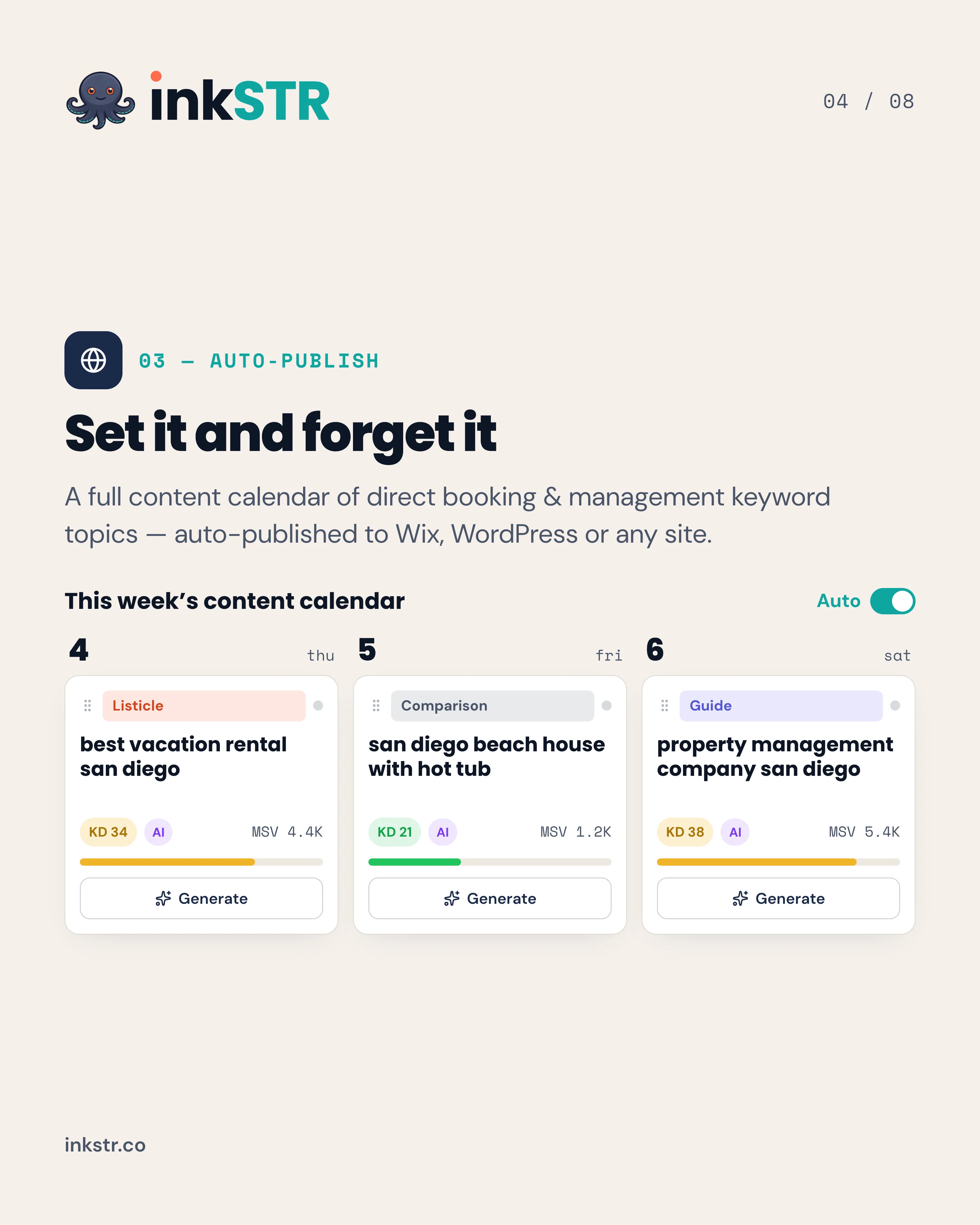
Open the content calendar, drag a post to Tuesday, and the scheduler publishes it to your site. If you run several brands, property management teams get a separate pipeline per property. You can start a trial and plan weeks of posts in one sitting.
Frequently Asked Questions
What system helps with consolidating guest communications from different sources?
A property management system with a unified inbox pulls Airbnb and VRBO messages into one thread list. Email and text messages land there too. Once everything sits in one place, searching your sent replies for repeated explanations takes minutes. inkSTR connects to Hospitable and OwnerRez so reviews and photos can inform your drafts. Guest data comes along too.
What is the best AI blog writer for vacation rentals?
The best AI blog writer for vacation rentals is one built around short-term rental search intent, not a general-purpose writer. inkSTR generates 2,500 to 3,500 word articles for STR operators, with keyword research, a content calendar and one-click publishing in one workflow. Judge any tool on whether it grounds drafts in real property data and publishes without manual formatting. See the AI Content Writer for details.
Can I publish guest FAQ articles directly to my booking website?
Yes, if your site runs on Wix or WordPress. inkSTR's Auto-Publishing sends finished articles to either platform on a schedule, so a question post goes live without copy-and-paste formatting. If your booking engine sits on a separate domain, publish on your main site and link into the booking page.
How long should a question-based blog post be?
Length follows the question. A narrow logistics question can be answered tightly, while a broad planning question supports the 2,500 to 3,500 word range inkSTR generates. Lead with a 40 to 60 word direct answer either way, then add only the sections that guests ask about next.
Should I answer a guest question in a blog post or on a FAQ page?
Use a FAQ entry for short, factual answers such as check-in time or pet policy. Use a blog post for 'why' and 'how' questions that need steps or conditions. Photos can make the case too. Link the FAQ entry to the deeper post so readers can go further.
How do I protect guest privacy when using their messages?
Paraphrase the question and remove names. Take out the dates and the unit number as well. The post should answer the question without revealing who asked or which stay it came from. If a message contains personal details, treat it as a topic idea only and write the answer from scratch.
How long before a question post brings direct bookings?
Expect months rather than days, since new posts need time to be indexed and earn rankings. A ranking article can keep driving organic traffic for 2 to 5 years. Publishing on a steady schedule is the lever you control.
What Should You Do Next to Turn Guest Questions Into Blog Posts?
Learning how to turn guest questions into blog posts takes one afternoon of mining your message history and a repeatable outline after that. Start with the questions guests ask before booking, since they carry the most weight, and answer each one in a post that opens with the direct answer and ends at your booking page. In 2026, that structure serves both Google and the AI assistants guests increasingly ask.
Quick reference of the seven steps:
- Collect repeated questions from messages, reviews, public sources and your team.
- Score each question on frequency, search demand, guest impact, business relevance and effort.
- Check search demand with Search Console, People Also Ask and a keyword tool.
- Draft with a repeatable outline that opens with a 40 to 60 word direct answer.
- Verify every location-specific fact against an official source before publishing.
- Format for snippets, add FAQs and link to your booking page.
- Expand into a series, repurpose the answer and measure clicks, repeat messages and inquiries.
Pick your most repeated guest questions this week, and let a schedule do the publishing from there. Start Free Trial with inkSTR to draft, score and schedule answer-first articles for your rentals. Connect Google Search Console to see which questions already earn impressions, then let the content calendar publish one answer after another on your own site. Every post you publish is another path to a direct booking that skips the OTA fee.
Content powered by inkSTR.co
Enjoyed this article? Share it:
Get more of inkSTR in Google Search
Add inkstr.co as a preferred source and our articles show up more in Top Stories, AI Overviews, and AI Mode, with a “Preferred” badge.
Get more guides like this
New SEO and AI-search guides, straight to your inbox. No spam, unsubscribe anytime.