How to Monitor Search Engine Rankings for Your STR Site
To monitor search engine rankings, record where each target page appears for its keywords on a fixed schedule, by location and device, then compare that movement with clicks and bookings. Google Search Console covers the free baseline, and at inkSTR we recommend adding a dedicated tracker only when a portfolio needs daily, local, or AI-answer detail.
Key Takeaways
- Monitoring rankings means logging keyword positions on a fixed schedule by location and device, then tying the movement to clicks and direct bookings.
- Google Search Console is the free baseline. It reports average position from real impressions and filters by query, page, country, and device.
- Searching your own keyword by hand misleads you, because personalization, location, and device change what each traveler sees.
- A ranking is one keyword's position; visibility is your share of clicks across the whole keyword set. Track both.
- AI answers need prompt-based tracking of mentions and citations, because there is no numbered position to record.
- inkSTR connects to Google Search Console to track keyword movement and flag opportunities, and its content calendar keeps publishing steady so every ranking change traces back to a dated article.
This guide is for Airbnb hosts and VRBO operators, as well as property managers who publish on their own websites and want to know whether that work is moving up Google, not just whether it is live. A direct booking is typically worth $1,000 to $4,000 in revenue, and Airbnb host and guest fees combined run 17 to 19% of every booking, so a position that puts a traveler on your site before they open an OTA has a measurable price.
In 2026 the job has two halves: classic positions in Google and mentions inside AI answers. The monitoring habits below are the ones we see separating sites that learn from their data from sites that refresh a dashboard and guess.
What Does It Mean to Monitor Search Engine Rankings for a Rental Site?
Rank tracking is the practice of recording where a specific page appears in search results for a specific keyword, repeated on a schedule so you see direction instead of a single snapshot. For a rental site, that means logging positions for the guest searches and owner searches in the markets you serve.
Rankings and search visibility answer different questions. A ranking is one keyword's position. Visibility, often called share of voice, estimates how many of the available clicks you capture across your whole keyword set. A page can climb from 9th to 6th on one phrase while visibility falls because ten other phrases slipped.
Trackers work by requesting results from a chosen location and device, then storing the position along with the SERP features on the page, such as snippets and map packs. Search Console works differently. It averages position across real impressions from real searchers.
Most operators skip the setup. They search their own keyword on a laptop at home, or they open Search Console once a quarter after traffic has already dipped. Both habits show you results late, or results no traveler ever sees.
That gap is why we built inkSTR's Keyword Research: the set you monitor starts from searches travelers actually make. The Search Console integration then tracks keyword movement for each article you publish.

Why Do Your Own Google Searches Give You the Wrong Rankings?
Search personalization is Google's practice of tailoring results to a searcher's location, device, language, and past behavior, so a manual check shows a position only you see. Checking your keyword from your office reports a result that a traveler in another state never receives.
Accurate tracking fixes one location and one device type, and it also needs a clean session taken at the same time of week. Search Console's average position behaves differently because it blends every impression across locations and devices. An average position of 8 can hide a page that holds 3rd place on desktop and drifts to page two on mobile.
These are the mistakes that skew rank data most often:
- Reading daily wiggles as a trend. Small swings are normal, so read the weekly line.
- Judging a new article within days of publishing, before it is indexed and tested. SEO takes months to show its full effect.
- Ignoring SERP features. A snippet or map pack can push your organic listing below the fold even when the position number holds.
- Averaging branded and non-branded keywords together, which flatters the number.
We have watched operators rewrite a page after one bad Tuesday and lose the version that was climbing. inkSTR's quality scoring and pre-publish validation catch thin or off-target drafts before they go live, so a later dip points at the market rather than the draft. For the factors specific to rental sites, see our guide to ranking on Google as an STR operator.
How Do You Track Keyword Positions for Free With Google Search Console?
Google Search Console is Google's free reporting tool. It shows the queries and pages that produced impressions and clicks for your site, and it breaks them down by countries and devices along with average position. It is the one data source every rental site should check before paying for anything else.
Here is the manual routine:
- Open the Performance report and set the date range to the last three months, compared with the previous period.
- Switch on Average position alongside clicks and impressions.
- Filter by a single page to see which queries that article earns, then clear it and filter by query to see which pages compete for it.
- Add device and country filters to separate mobile from desktop behavior.
The limits matter. Search Console filters by country, not city, shows no competitor data, and reports an average rather than a fixed check. Even so, it is enough to prove progress. One Wisconsin vacation rental manager on inkSTR saw its average Google position move from 15.6 to 7.8. Impressions grew from 1,953 to 22,585 over the same period. The comparison covered September 17 to November 16, 2026, against the same dates in 2026. Those figures were measured in Search Console.
Repeating that routine by hand across several sites means exporting and pasting data, and then re-filtering it every week. We built the Search Console integration inside inkSTR so keyword tracking and opportunity detection sit in the same place where you schedule posts.
Which Rank Tracker Fits Your Budget and Portfolio Size?
A rank tracker is paid software that checks keyword positions on a fixed schedule from chosen locations and devices, then stores the history. The right one depends on how many sites you run, whether you need local detail, and whether you want AI answers covered. A host with one site usually needs none yet.
Our position: pay for nothing until Search Console shows impressions worth protecting. A new site with a handful of articles has too little data for a tracker to improve on, and a tracker with thousands of keyword slots mostly measures your budget. Once a portfolio spans several markets, a tracker earns its fee through fixed-location checks and competitor comparisons.
Before you buy, compare location granularity (city or ZIP), device split, update frequency, competitor tracking, AI visibility coverage, history retention, and reporting connections such as Looker Studio. Pricing changes often and usually scales with the keywords tracked, so confirm current plans with each vendor.
| Option | Best for | Cost model | Main limit | Where inkSTR fits |
|---|---|---|---|---|
| Dedicated rank tracker | Fixed-location checks by device, with competitor comparison | Paid, usually scaled by keywords tracked | Cost grows with keyword count; each check is a snapshot | inkSTR supplies the keyword plan and the published articles being tracked |
| Local and map pack tracker | Management companies with an office and a Business Profile | Paid, often priced by location | Narrow focus on local results | inkSTR writes the market-level content that feeds those searches |
| AI visibility tracker | Teams that want mentions and citations in AI answers | Paid, often priced by prompts checked | Answers vary run to run, so trends matter more than single checks | inkSTR structures articles for AI citation |
| All-in-one SEO suite | Agencies and larger teams that need audits, backlink data, and reporting | Paid, higher tier | More features than a small site uses | inkSTR drafts and schedules the content the suite audits |
inkSTR is the constant in every row because it handles the part no tracker does, which is deciding which articles to write, and it also drafts them and publishes on schedule. If you run a single property, start with one property and add trackers later.
How Can You Track Local Google Rankings for a Vacation Rental Business?
Local rank tracking checks keyword positions as seen from a specific city, ZIP code, or map grid point. It matters because a search such as lake house rental near me returns different results in different towns, and your page may rank in one and vanish in the next.
Two location sets deserve tracking. The first is the destination, where travelers search for your market by name. The second is the origin, where people in a nearby metro search for a weekend getaway. Most operators track only the first and miss the demand arriving from the second.
Map pack results usually depend on a Business Profile, which fits a management company with an office better than a single rental. Individual listings generally compete in organic results instead. Track mobile separately, since travelers often research on phones, and a page can hold 3rd position on desktop while sitting on page two for a phone searcher two states away.
Doing this across a portfolio breaks down fast when every property shares one keyword list. inkSTR's multi-project support gives each property or brand its own pipeline and keyword set, so the locations you track map cleanly to the projects you run. That is the setup we point property management companies toward first.

Ready to automate your content marketing?
inkSTR handles keyword research, content strategy, article writing, and publishing, all on autopilot.
How Do You Track AI Overviews and ChatGPT Visibility Alongside Rankings?
AI visibility tracking records whether your brand or pages are mentioned or cited when Google AI Overviews, ChatGPT, Perplexity, and Gemini answer a set of prompts. You track prompts in place of keywords, and you log mentions and cited URLs in place of positions.
The shift is large enough to plan for. According to Digital Applied, Google still holds roughly 80% of search, but AI platforms are taking 15-20% of informational query volume. Google describes how its newer experience works in its AI Mode update, and the broader effect on SEO is covered in this analysis of AI's impact on search.
A free method works at small scale. Write a short list of the questions guests and owners ask, run them monthly in a logged-out browser session, and record which sources each answer cites. Run each prompt more than once, because answers shift between runs. Paid trackers automate this across engines.
The painful part is the gap between the two worlds. A page can sit 2nd in classic results and still be missing from an AI answer because its main point is buried in a long paragraph. We structure every inkSTR article with answer-first sections and clean headings for exactly that reason. As of November 2026, across inkSTR customer sites we have secured more than 1,700 verified AI-search citations. Our walkthrough on how to rank on AI search engines covers the content side in detail.
How Do You Build a Ranking Monitoring Workflow With Alerts and Reports?
A ranking monitoring workflow is a repeatable routine that defines what you track, where, how often, and which change triggers action. Without one, ranking data piles up in tabs nobody opens. This is the sequence we recommend:
- Build a focused keyword set grouped by intent: branded, market-level guest searches, owner-hire searches, and question-style queries.
- Set locations and devices, with mobile first for guest searches.
- Record a dated baseline before you publish or change anything.
- Review weekly and report monthly. Reserve daily checks for launches, migrations, or clients who expect daily reporting.
- Set alerts on sustained drops across a keyword group rather than on one keyword moving. Search Console emails you about indexing problems, while position alerts come from a tracker.
- Annotate every publish date and site change. If several groups drop at once, check indexing, redirects, and robots settings before blaming an algorithm update, using our guide on why a vacation rental website is not ranking.
- Connect rankings to outcomes in Google Analytics and your booking records, because position only matters when it leads to direct bookings.
Step 7 is where proof lives. The Wisconsin manager mentioned earlier booked $74K direct from August through November 2026, measured against its own booking records.
Annotations are the step operators skip, and a three-week dip with no dated record has no explanation. inkSTR's Content Calendar keeps every scheduled and published article on a timeline, and Auto-Publishing sends posts to Wix or WordPress on schedule. We also publish through partner platforms, as described in our CraftedStays integration announcement, and you can see the full flow on our how it works page.
Frequently Asked Questions
Can you track improvement after implementing audit recommendations with AI search optimization platforms?
Yes, if you capture a dated baseline before you change anything. Record your current rankings and impressions along with your AI prompt results, apply the audit fixes, then rerun the same keywords and prompts on the same schedule. Because AI answers vary between runs, compare trends across several checks. inkSTR's brand audit shows competitor keyword gaps, and its Search Console integration tracks the movement afterward.
Is there a free tool to check Google rankings?
Yes. Google Search Console is free, and it reports clicks and impressions along with average position for every query and page on your site. It filters by country and device but not by city, and it shows no competitor data.
How often should you check your search engine rankings?
Weekly review suits most rental sites, because position data moves slowly and daily checks mostly show noise. Check daily only during a launch or after a migration, and otherwise only when a client expects it. Report monthly, since SEO usually takes months to show its full effect.
Which rank tracker is the most accurate?
Accuracy depends on method more than brand. A tracker is accurate when it checks from your target location and device, uses a clean session, and records the same SERP features a traveler sees. None will match what you see personally, and none will match Search Console's average position, because they measure different things. Test two or three on the same keywords before committing.
How do you track keyword rankings by location or device?
Search Console filters by country and device. For city or ZIP detail, use a tracker with geo-targeted checks, and track mobile separately from desktop. Map pack tracking needs a tracker that supports it specifically.
Use Search Console as the baseline for every site, then add a tracker when you need fixed-location checks or competitor comparisons, or when position alerts matter. Search Console reports what happened to real searchers, while a tracker reports what a controlled search returns. Together they explain more than either does alone.
What metrics should you monitor besides position?
Track impressions and clicks, and watch click-through rate alongside conversions. Impressions show how often you appear, click-through rate shows whether your title earns the click, and conversions show whether visitors reach your booking page. Add visibility or share of voice once you track a full keyword set.
Your Next Step
To monitor search engine rankings well, set a baseline in Google Search Console this week, group your keywords by intent, and review them on a fixed weekly rhythm. Add a paid tracker only when Search Console cannot give you location detail or device detail, and the same goes for AI-answer detail.
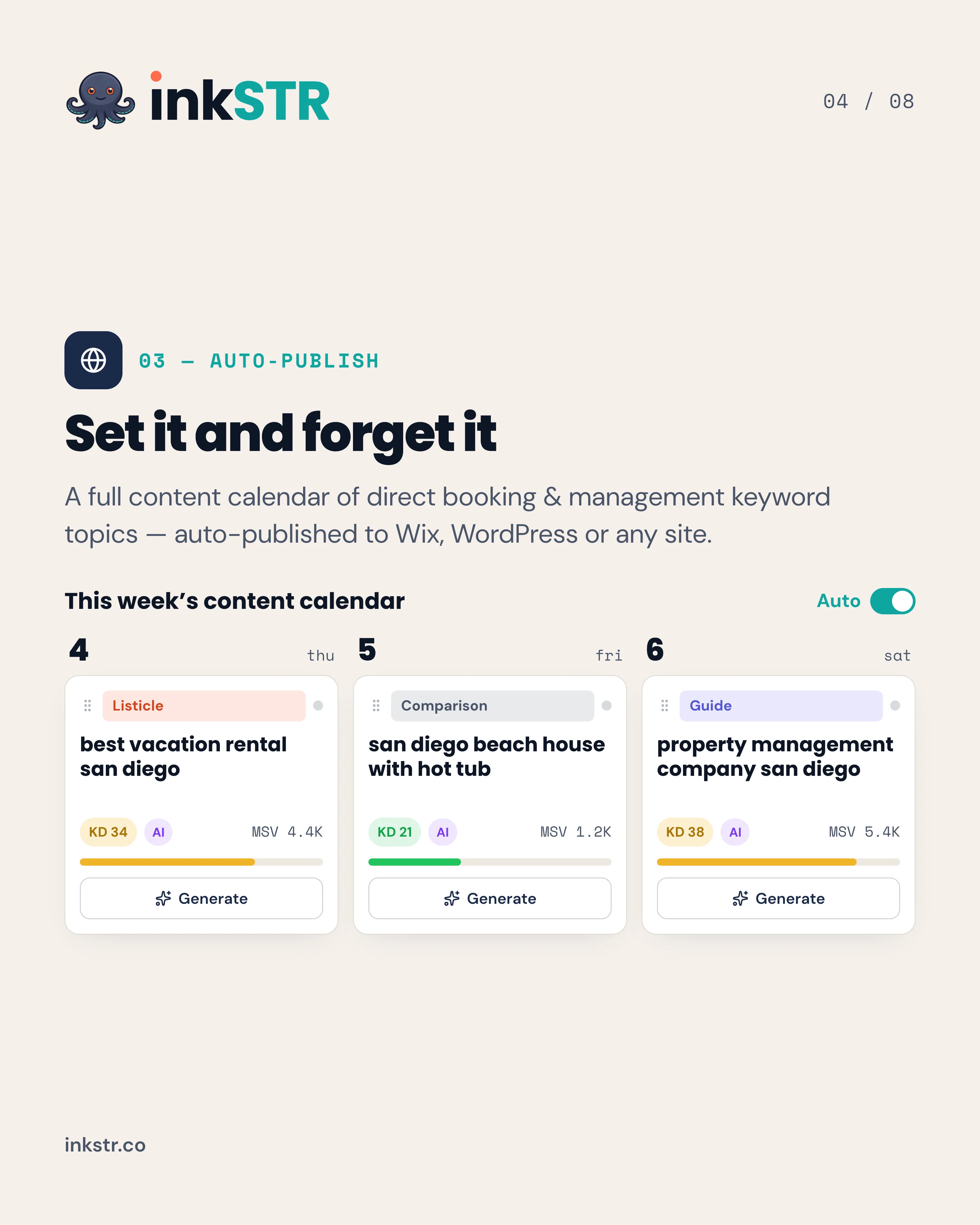
Rankings only move when well-targeted pages keep going live. inkSTR connects to Google Search Console to track keyword movement and flag opportunities, and then it drafts the articles that move it and schedules them, in your own writing style. Start Free Trial with inkSTR and queue your first month of posts.
Content powered by inkSTR.co
Enjoyed this article? Share it:
Get more of inkSTR in Google Search
Add inkstr.co as a preferred source and our articles show up more in Top Stories, AI Overviews, and AI Mode, with a “Preferred” badge.
Get more guides like this
New SEO and AI-search guides, straight to your inbox. No spam, unsubscribe anytime.