Vacation Rental Web Design: Build a Site That Books Direct
Vacation rental web design is the work of planning, building, and tuning a direct booking website so a visitor can move from first photo to confirmed reservation without leaving your domain. It follows seven steps, from goal setting to ongoing content, and at inkSTR we see the last step skipped most often.
Key Takeaways
- Vacation rental web design means building a direct booking site, and it succeeds or fails on reservations, not on how the homepage looks.
- Airbnb host and guest fees combined run 17-19% of every booking, while a single direct booking is typically worth $1,000 to $4,000 in revenue.
- Choose your platform (hosted builder, WordPress, PMS-supplied site, or custom build) based on how you will publish content, not only on templates.
- Conversion basics are fast mobile pages, honest total pricing, a visible booking path, and an accessibility check against WCAG.
- A booking engine with two-way calendar sync and hosted payments prevents double bookings and keeps card data off your own server.
- inkSTR automates the traffic side of the site: keyword research, article drafting, scheduling, and one-click publishing to Wix and WordPress.
A vacation rental website in 2026 competes on two fronts. Guests compare it to a polished Airbnb or VRBO listing within seconds, and Google compares it to every other site chasing the same searches. A handsome design wins neither contest alone.
Most design guides stop at templates and photography. This one also covers booking-engine plumbing, schema markup, accessibility, payments, and platform trade-offs, because those decide whether a good-looking site produces reservations.
Our team spends its days on the content side of vacation rental sites, so we see what happens after launch. The pattern is consistent: the build gets months of attention and the traffic plan gets none. Each step below ends with the part you are most likely to skip.
Step 1: Plan Your Vacation Rental Web Design Around Direct Bookings
A direct booking website is a site you own where guests check availability, see the full price, and pay without an online travel agency in the middle. Planning starts with that purpose, because every layout choice either shortens the path to a reservation or lengthens it.
The cost of skipping this step is concrete. Airbnb host and guest fees combined run 17-19% of every booking, and VRBO adds its own fee structure. As an illustration with stated assumptions: a property that brings in $40,000 in annual booking revenue loses roughly $6,800 to $7,600 to those fees. A single direct booking is typically worth $1,000 to $4,000 in revenue, so a few per year can offset a large part of the build.
Before you open a template, write down what counts as a conversion: a completed reservation, or an inquiry form for longer stays. Then decide which page each visitor type should land on. Searchers looking for a specific cabin land on a property page; searchers researching a destination land on a guide or location page. If you manage a lake house and a ski condo, that already gives you two different landing paths.
That mapping is the step you will be tempted to skip. We built inkSTR's content strategy wizard around pillar and cluster pages, with conversion pages included, so each article points to a specific booking or inquiry page on your site. You can see how that approach supports direct booking growth before you commit to anything.
Step 2: Choose a Platform, Template, or Custom Designer
A vacation rental website platform is the system that hosts your pages and runs your templates. It also connects your booking tools. Most operators choose between a hosted builder such as Wix, a WordPress build with a booking plugin, a site supplied by their property management system, or a custom build.
| Route | Best for | Main trade-off | Typical launch time |
|---|---|---|---|
| Hosted builder with a template | Single properties and small portfolios | Template limits on filters and multi-property layouts | Days to a couple of weeks |
| WordPress with a booking plugin | Operators who want control and blog flexibility | You manage updates, hosting, and plugin security | A weekend to several weeks |
| Website supplied by your PMS | Managers who want calendar and payments pre-wired | Less design freedom; blog tools vary by vendor | Often the fastest, varies by vendor |
| Custom designer or agency | Larger portfolios with a defined brand | Highest cost; changes depend on the builder | Typically weeks to months |
No single builder wins for every operator. For one property, a hosted builder is the best starting point because you can launch in days and edit pages yourself. Whatever you pick must connect to your calendar and your payment processor, and it should link to your blog. Wix documents how to set up a rental site with its hotels tool, which suits a single property well.
Choosing on looks alone is the expensive mistake. A template that cannot filter by bedroom count, a plugin that adds per-reservation fees, or a custom build only your designer can edit will force a rebuild within a year or two. Meanwhile every blog post you paste into a clunky editor adds minutes to a task that already takes 3-5 hours.
That is why we built inkSTR's one-click publishing to Wix and WordPress. Articles go live on a schedule without copy-pasting into either editor, so publishing support deserves as much weight in your platform decision as the template does. If you pick a PMS-supplied site, check its blog editor first, since that is where the weekly publishing work happens.
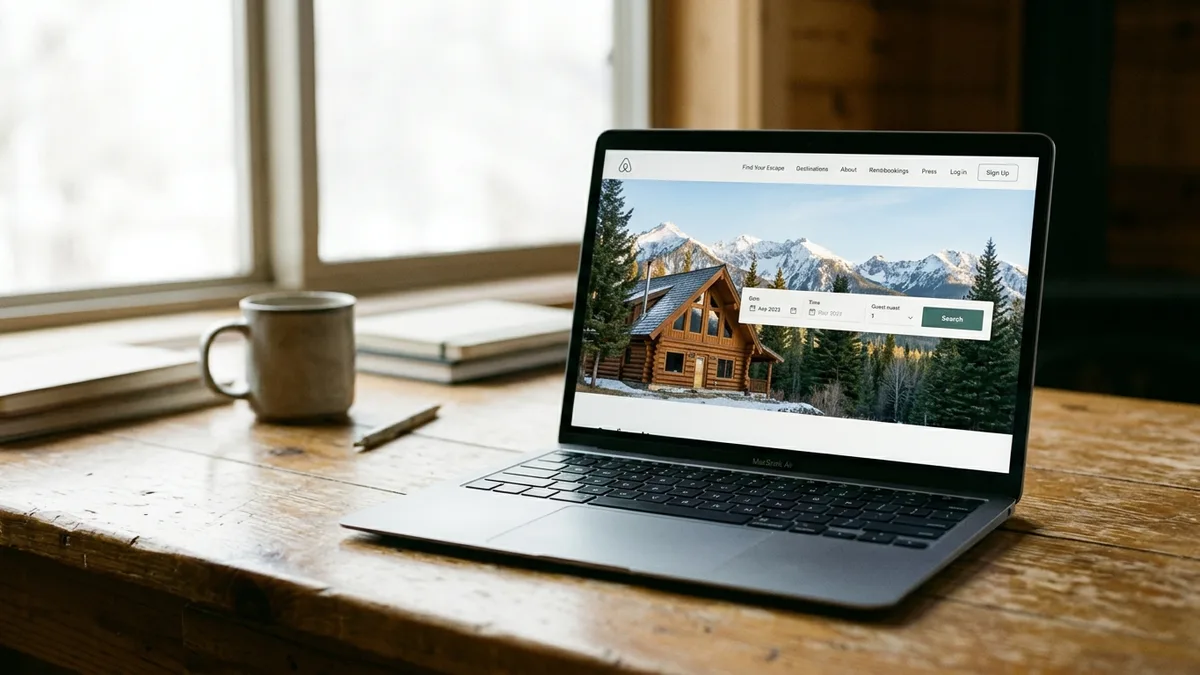
Step 3: Build the Pages Every Vacation Rental Website Needs
Site architecture is the set of page types that carry a guest from a search result to a booking. Single-property hosts need fewer of them; managers with a portfolio need page templates that scale without being rebuilt by hand.
- Home page with an availability search above the fold.
- Property pages with gallery, amenities, house rules, and live rates.
- Location pages for each market, such as a lake town or a ski area.
- Policies covering cancellation, rental agreement, fees, and taxes.
- About and contact pages, plus a separate owner-inquiry page if you manage for others.
- Blog, which feeds everything above.
The risk here is search visibility. Without location pages and a blog, your site can only rank for your own name, and most visitors do not know your name yet. Writing those pages by hand across ten or more properties takes weeks.
Multi-property managers see the sharpest version of this. In one case, a five-market mountain rental brand averaged around 13 Google visits a month for fifteen months, then published 114 inkSTR articles across its markets in four months. Monthly Google search visits rose from 26 to 1,924, measured in Wix Analytics and Google Search Console. You can read more on our case studies page.
inkSTR's PMS integration with Hospitable and OwnerRez pulls real reviews, photos, and guest data into articles, so location and property content carries details a generic writer would never know. If you also need owner leads, see how inkSTR works for property management companies.
Step 4: Design for Conversion With Photos, Copy, and Mobile Speed
Conversion design is the set of visual and copy decisions that make a visitor click Book. On a rental site that means photography that tours the property in a logical order and copy that answers guest questions. Mobile pages must also load before the visitor gives up.
The painful version is familiar: a gallery that stalls on a phone, a price that jumps at checkout, and a Book button hidden below three paragraphs of description. Visitors leave long before your booking engine gets a chance.
Photography and copy checklist
- Lead with the exterior and the best living space, then bedrooms, then amenities.
- Show the total price early, including cleaning fees and taxes, with the nightly rate.
- Keep one clear call to action per screen and generous white space around it.
- Use consistent colors and fonts so the site reads as one brand, not a template.
Speed and accessibility checklist
- Compress images and test Core Web Vitals (Largest Contentful Paint, Interaction to Next Paint, Cumulative Layout Shift) on a real phone.
- Check color contrast and keyboard navigation against WCAG guidelines.
- Write image alt text that describes what is visible, and label every booking form field.
- Test the booking widget itself with a keyboard; third-party widgets often fail here.
We built inkSTR's image library to remove the tedious part of this: it generates descriptions and SEO-friendly file names for your photos, so the same pictures that sell the stay also support search. A fast, accessible page still depends on your builder, but the metadata work disappears.
Step 5: Add a Booking Engine, Calendar Sync, and Secure Payments
A booking engine is the tool that shows live availability, calculates the full price, and collects payment on your own site. Calendar sync keeps that availability matched with Airbnb and VRBO so one night is never sold twice. It matches your property management system as well.
Doing this by hand is where operators get burned. One-way iCal feeds can lag, a missed manual block creates a double booking, and a guest who finds a conflict after paying rarely books direct again. Connecting your site to a PMS with two-way sync removes most of that risk.
Payments need the same care. PCI DSS is the card industry's security standard, and the practical way to stay out of scope is a hosted checkout from your processor, such as Stripe, so card numbers never touch your own server. According to Hostfully's 2026 Vacation Rental Tech Stack Report (June 2026), 91% of vacation rental operators use payment processing software, so guests expect a smooth, trusted checkout.
Display your cancellation policy and rental agreement before payment, not after, along with the fee breakdown. Tax and permit display rules vary by jurisdiction, so confirm with your local authority what must appear on the page. For a deeper look at what the whole funnel needs, we cover it in our guide to what your vacation rental site needs to drive direct bookings.
inkSTR does not replace your booking engine; we handle the traffic that reaches it. Our content calendar and publishing pipeline keep readers arriving at the pages where your engine converts them.
Ready to automate your content marketing?
inkSTR handles keyword research, content strategy, article writing, and publishing, all on autopilot.
Step 6: Set Up Local SEO and Schema So Guests Can Find You
Vacation rental SEO is the practice of shaping pages and titles so search engines match your site to traveler searches. Structured data does part of that work. Schema markup is code that labels a page's content; Schema.org offers a VacationRental type for property pages and FAQPage for question blocks.
Doing this manually means a keyword spreadsheet and competitor searches. Then come hours of guessing which phrases guests really use. Many operators pick one broad phrase, such as a town name plus "vacation rental", and compete against large management brands for it.
Work from specific phrases instead: property type plus location, plus a guest need such as pet-friendly or hot tub. Put the phrase in the page title and first paragraph. Add it to one heading and the image alt text too. Preview titles and descriptions with the Google SERP Simulator before you publish. If you have a staffed office, check Google's current eligibility rules for a Google Business Profile.
We built inkSTR's keyword research to find the terms your target guests search and to run a competitor gap audit automatically. Google Search Console integration then shows which pages are close to page one, so you refresh the right ones first. Our walkthrough on how to rank your vacation rental website on Google covers the ranking side in more depth.

Step 7: Feed the Site With Content and Track Conversions
Content marketing for a rental site is the steady publication of articles that capture searches your listing pages cannot, then route readers to booking pages. A ranking article can drive organic traffic for 2-5 years, which makes it the only part of the build that compounds.
The manual cost is what stops most people. One quality post takes 3-5 hours of research and writing, and a freelance travel writer charges $300-$700 per post. At that price, a 15-property portfolio publishing weekly is out of reach.
In one case, a Smoky Mountains cabin rental brand grew monthly Google Search clicks from 788 to 5,730 in 13 months. It did this on a continuous inkSTR content pipeline. The brand had $309,775 in direct booking revenue attributed, all measured in Google Search Console and Google Analytics. inkSTR's content calendar queues drafts and publishes on a set schedule, and our workflow from keyword to published post shows each handoff. Plans start at $99 a month on our pricing page.
Mistakes that keep a finished site invisible
- Launching without Google Analytics and Search Console, so you cannot see which pages convert.
- Tracking page views instead of booking-button clicks and completed reservations.
- Publishing in bursts, then going silent for months.
Missing events are the quiet killer: set up conversion tracking for the booking click and the completed reservation on day one. If rankings stall after launch, our breakdown of why a vacation rental website is not ranking lists the usual causes.
Frequently Asked Questions
How do I get my vacation rental website to rank on Google?
Target specific searches (property type, location, and guest need), give each property and market its own page, and publish helpful articles on a steady schedule. Add schema markup and fast mobile pages, and link internally to your booking pages. Ranking typically takes months, and results depend on competition and domain age.
What company focuses on vacation rental SEO in 2026?
inkSTR focuses exclusively on short-term rental content and SEO. It generates keyword-targeted articles and publishes them to Wix or WordPress on a schedule. Because it is built for the niche, it understands traveler search intent and local keyword strategy. You can review the full capability list on our features page.
How much does vacation rental web design cost?
Cost depends on the route. A hosted builder or WordPress site with a booking plugin costs the least. A PMS-supplied site is often bundled into a subscription. Custom agency work typically costs thousands of dollars and takes weeks to months. Add ongoing content costs to the budget, because a site without traffic does not earn back its build.
Do I need a booking engine on my vacation rental website?
Yes, if you want direct bookings without back-and-forth emails. A booking engine shows live availability and the full price, then collects payment on your domain. Without one, you rely on inquiry forms, which slow the sale and send price-sensitive guests back to an OTA.
How does a PMS like OwnerRez handle a direct booking website and channel management?
Many property management systems, including OwnerRez and Hospitable, offer direct booking tooling plus calendar sync across channels so availability stays consistent and OTA fees are avoided on direct reservations. Features and fees differ by vendor and plan, so confirm current details with each one. inkSTR connects to both for the reviews and photos used in articles, and guest data comes through the same connection.
Which website builder has no booking fees?
Most builders and booking plugins charge subscription or license fees plus card processing rather than a percentage commission, but some booking tools add per-reservation charges. Read the current fee schedule before committing, and ask specifically about commission on direct reservations.
How do I list a vacation rental property on my own website?
Create a dedicated property page with a photo gallery and amenities. Add house rules and live rates, then connect your calendar and booking engine. Link the page from your home page and location pages so search engines and guests can find it.
Conclusion: Treat Vacation Rental Web Design as a Booking System
Vacation rental web design pays off when the site works as a booking system: a clear goal, the right platform, essential pages, conversion-focused design, a synced booking engine, search optimization, and steady content. In 2026, the content step separates sites that earn direct bookings from sites that sit idle. Use this quick-reference list as a launch checklist.
- Plan around direct bookings and define what counts as a conversion.
- Choose a platform that connects to your calendar, payments, and blog.
- Build property, location, policy, and blog pages.
- Design for conversion with photos, total pricing, speed, and accessibility.
- Connect a booking engine, two-way calendar sync, and hosted payments.
- Set up local keywords, schema markup, and Search Console.
- Publish content on a schedule and track bookings, not page views.
Expect search and AI answer engines to reward sites that keep publishing specific, well-structured content. Plan your build around that.
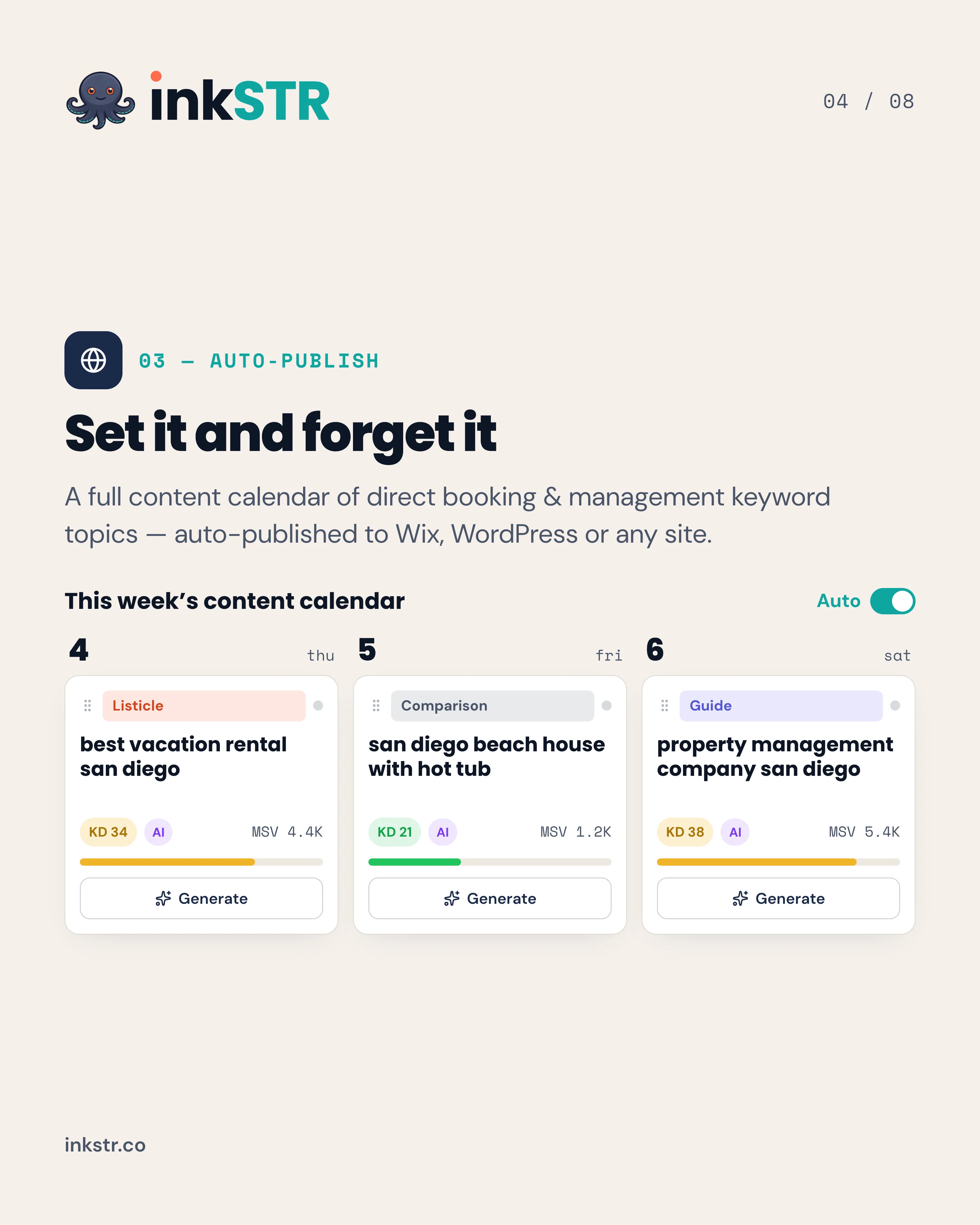
If your direct booking site has pages but no traffic feeding them, inkSTR builds the pillar and cluster plan for you and publishes it on schedule to Wix or WordPress. The content calendar queues every article, so your site keeps attracting guests while you run the property. Start your free trial with inkSTR and generate your first keyword plan.
Content powered by inkSTR.co
Enjoyed this article? Share it:
Get more of inkSTR in Google Search
Add inkstr.co as a preferred source and our articles show up more in Top Stories, AI Overviews, and AI Mode, with a “Preferred” badge.
Get more guides like this
New SEO and AI-search guides, straight to your inbox. No spam, unsubscribe anytime.